Playwright suites don't fall apart all at once. They accumulate problems slowly, in patterns that are remarkably consistent across teams, codebases, and industries. A flaky test keeps getting retriggered. A timeout quietly climbs from 5 seconds to 10 to 30. A shared account starts producing mysterious failures under parallel load. A fixture started out clean and grew into something nobody fully understands anymore.
The root causes tend to cluster around a handful of things: tests written by developers unfamiliar with async browser automation, patterns carried over from Selenium or Cypress without accounting for how Playwright actually works, fixture designs that were a good choice at a small scale but quietly break under parallelism, and selector strategies that optimize for writing speed over long-term stability.
None of these patterns announce themselves. A suite of 50 tests can carry significant structural debt and still pass reliably. Nobody notices until the suite reaches a certain size, and the same patterns that were invisible before suddenly make CI unpredictable, feedback loops painfully slow, and the codebase feel like a place where adding new tests isn't worth the trouble. By that point, untangling things is both technically hard and disruptive.
What follows is a diagnostic guide for you if you're already past the basics. Each section takes one pattern, explains the mechanism behind why it fails, and shows the correct replacement. These aren't unknown mistakes. Most of them exist in codebases everywhere because they solved a real problem at small scale, or were copied from a context with different constraints. The goal is to address them before the suite grows large enough to make fixing them painful.
Test Isolation and Integrity Anti-Patterns
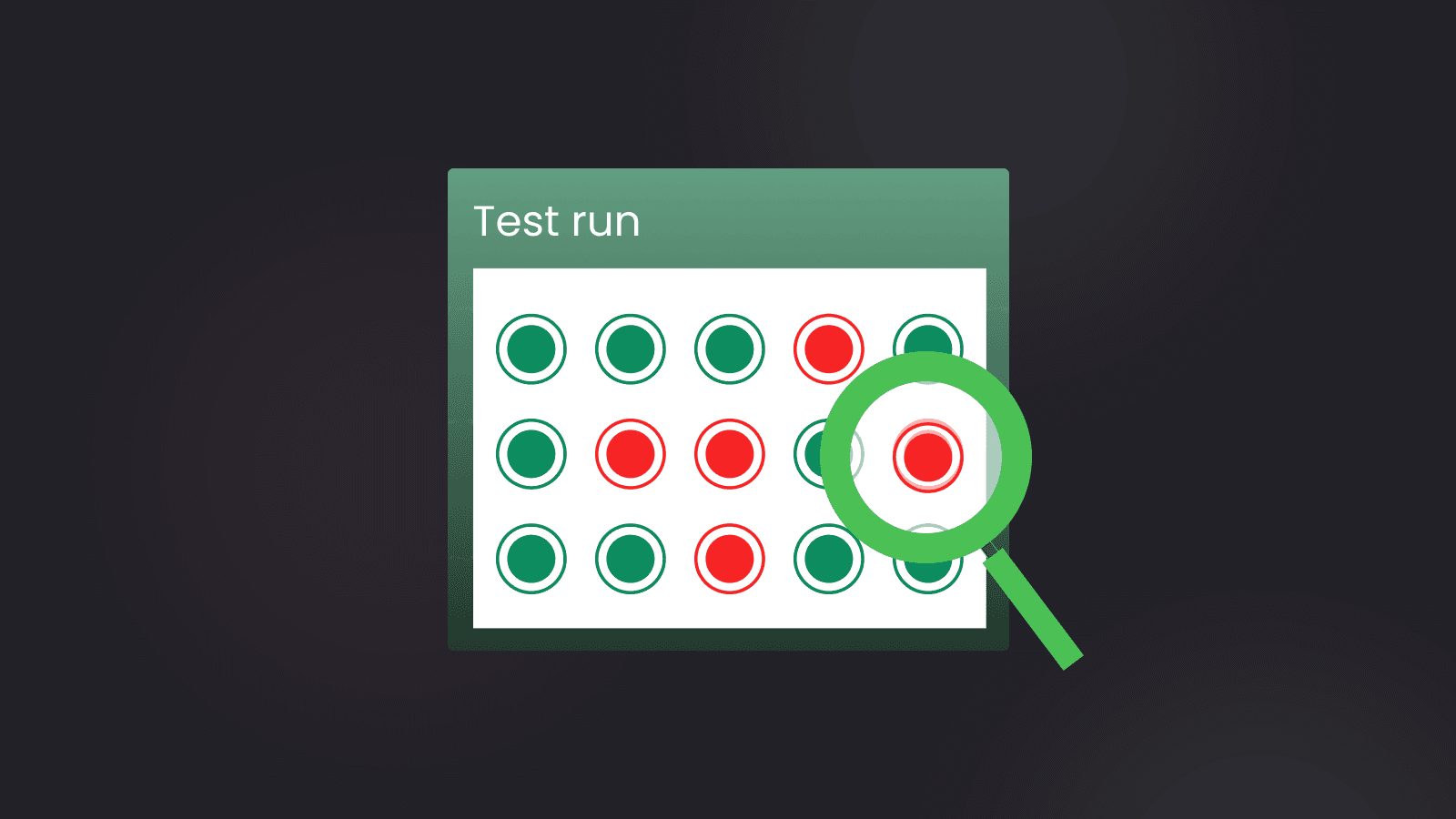
Isolation problems are deceptive in a way that most other suite issues aren't. They rarely produce obvious failures on their own. What they produce instead are order-dependent failures, parallel-only failures, and retry-sensitive failures, the kind that make you say "it passed when I ran it locally." And you do mean it.
Shared State Between Tests via Module-Level Variables
The pattern looks like this: An auth token, a page object, or a browser context reference is declared at module scope and assigned in test.beforeAll, so that multiple tests in the file can reuse it without reinitializing for each one. To be clear: test.beforeAll itself is not the problem, and Playwright's own documentation uses it for worker-level setup.
The problem is mutable shared state: a page object that tests navigate, a context they modify, and a variable that different tests write to. Read-only values shared via beforeAll are generally safe. A page object that each test drives in a different direction is not.
//  Anti-pattern
let authToken: string;
let page: Page;

test.beforeAll(async ({ browser }) => {
  const context = await browser.newContext();
  page = await context.newPage();
  authToken = await getAuthToken();
});

test("reads user profile", async () => {
  // uses module-level page and authToken
});

test("updates user preferences", async () => {
  // modifies state on the same page object
});
Playwright runs tests in worker processes, and module-level state does not reset between tests running in the same worker. A test that mutates the page object, navigating away, modifying cookies, triggering a logout, leaves the environment corrupted for every test that follows it in the same worker process. That's where the real damage happens: Tests earlier in the file corrupt state for tests that come after them.
A detail that matters here: when a test fails, Playwright discards the entire worker process and starts a fresh one, so the retry itself runs in a clean environment. The problem with module-level state is that the tests that run before the failure, within the same worker, are affected by mutations made by earlier tests.
Put everything stateful inside a fixture, scoped to the test or the worker. Fixtures tear down automatically after each test, so state never bleeds from one test into the next. You don't have to remember to clean up; the framework handles it.
// Correct pattern
// fixtures/auth.ts
export const test = base.extend<{ authPage: Page }>({
  authPage: async ({ page }, use) => {
    const token = await getAuthToken();
    await page.setExtraHTTPHeaders({ Authorization: `Bearer ${token}` });
    await use(page);
    // teardown happens automatically after each test
  },
});
If something feels too expensive to create per test, the fix is a worker-scoped fixture with clear documentation of the state it carries, not a module-level variable that silently accumulates mutations across the test run.
A related but distinct problem appears when tests don't share variables directly, but they still depend on each other through the data they create.
Tests That Depend on Execution Order
This one is most common in suites written by developers who came from integration testing frameworks, where execution order is deterministic and test interdependency is considered normal. Test A creates a user account, Test B authenticates as that user, and Test C updates their profile. Each step assumes the previous one has been completed successfully, and in a serial, single-process runner, that the assumption holds.
//  Anti-pattern
test("creates a new order", async ({ page }) => {
  // creates order with ID 'order-001'
  await page.getByTestId("order-id").fill("order-001");
  await page.getByTestId("submit").click();
});

test("views the order detail", async ({ page }) => {
  // assumes order-001 exists from the previous test
  await page.goto("/orders/order-001");
  await expect(page.getByText("order-001")).toBeVisible();
});
Playwright's --shard support and parallel worker execution make execution order non-deterministic across machines. A test that creates a resource and a test that reads it may run on different workers, in different processes, on different CI nodes. When the creator test fails or runs after the reader, the reader fails with an error unrelated to the feature it's supposed to be testing, and the failure is nearly impossible to trace back to the real cause.
Each test needs to have its own preconditions, either through fixtures that provision and tear down test data or through direct API setup before the UI interaction begins.
// Correct pattern
test("views the order detail", async ({ page, request }) => {
  // Provision test data independently via API
  const order = await request.post("/api/orders", {
    data: { id: `order-${Date.now()}`, status: "pending" },
  });
  const { id } = await order.json();

  await page.goto(`/orders/${id}`);
  await expect(page.getByText(id)).toBeVisible();
});
Ordering dependencies isn't always about data structure, though. Sometimes the shared resource isn't a database record but a user account that every test tries to use at the same time.
Shared Test Accounts Across Parallel Workers
All tests authenticate using the same credentials, like shared email address, API tokens, and inbox. It's simple to set up, and when tests run one at a time, it works without a glitch. The trouble is that parallel workers are isolated at the process level, but not at the data level.
So one worker updates user preferences while another is reading them, or a password reset email lands in the shared inbox at the same moment another worker is polling it for a different verification code. Or a record gets deleted by one test just as another test tries to use it.
These failures appear only under parallel load and vanish when tests run sequentially, which is exactly why you end up disabling parallelism rather than fixing what's actually broken.
Isolation needs to be structural, not a convention that depends on everyone remembering to follow it. Each worker should provision their own user account, and that account should be cleaned up when the worker finishes.
// Correct pattern: worker-scoped isolated user
export const test = base.extend<{}, { workerUser: UserCredentials }>({
  workerUser: [
    async ({ request }, use, workerInfo) => {
      // workerIndex is monotonically increasing and unique per run.
      // For pooled accounts (reused across worker restarts), use
      // workerInfo.parallelIndex instead, which is bounded 0 to workers-1.
      const user = await request.post("/api/test-users", {
        data: { email: `test-worker-${workerInfo.workerIndex}@example.com` },
      });
      const credentials = await user.json();
      await use(credentials);
      // Clean up the worker's user after all tests in the worker complete
      await request.delete(`/api/test-users/${credentials.id}`);
    },
    { scope: "worker" },
  ],
});
When shared data causes failures, the temptation is to reach for what feels like the simplest fix: removing the parallelism entirely. That decision tends to create more problems than it solves.
Disabling Parallelism to Hide Isolation Problems
Your suite starts failing intermittently under parallel execution. You set workers: 1 in playwright.config.ts to stabilize CI, failures stop, and the problem is labelled as solved.
This is one of the most expensive decisions you can make quietly. It masks a real isolation problem while dramatically increasing CI run times. A suite that takes eight minutes with four workers could easily take over half an hour with one. And as the suite grows, that cost compounds. The underlying isolation issues are still there, waiting for the moment someone tries to scale again.
Parallel execution is actually a useful forcing function for correct isolation. When tests fail under parallelism, the suite is telling you that something is wrong with how state is shared. The right response is to find the shared state, eliminate it through per-worker data provisioning and scoped fixtures, and then re-enable parallelism.
Isolation problems tend to appear at runtime. The next pattern is different. It's a problem you introduce at the point of writing, usually without realizing it.
Using test.only or test.skip in Committed Code
Both of these are debugging tools that occasionally survive into committed code. test.only usually gets left in accidentally after a focused debugging session. test.skip tends to be more intentional. It's how you quietly sidestep a broken test without doing the work to fix it.
The damage is different for each. test.only silently reduces coverage in CI: Every other test in the file is excluded from the run, but the suite still reports green. Nobody notices until something breaks in production that the excluded tests would have caught. test.skip is slower-acting, and it accumulates as invisible technical debt; skipped tests are not "temporarily paused." They are failures that you've agreed to stop looking at.
The fix for test.only is mechanical. Playwright has a built-in config option for it:
// playwright.config.ts
export default defineConfig({
  forbidOnly: !!process.env.CI,
});
Playwright's documentation recommends this in the default config example, and it causes the test run to exit with an error if any test.only is present. If you want to catch it even earlier, before CI, an ESLint rule provides immediate feedback in the editor:
// .eslintrc.js
rules: {
  'playwright/no-focused-test': 'error',  // blocks test.only
  'playwright/no-skipped-test': 'warn',   // flags test.skip
}
For test.skip, the standard is a linked issue and a documented condition for re-enabling the test. A skip without an expiry is really just a deletion that left the code around to give false comfort.
Selector Anti-Patterns
Selector quality is one of the most visible indicators of a test suite's health, not because bad selectors are hard to spot, but because their consequences are so disproportionate. A fragile selector doesn't just fail; it fails silently, for the wrong reason, at the wrong time, consuming debugging effort that should have been spent on real problems.
Fragile CSS and XPath Selectors
Selectors like .MuiButton-root:nth-child(3) or //div[@class='container']/form/input[2] encode the visual structure and implementation details of the UI rather than its semantic meaning. They are tightly coupled to components that change frequently, such as CSS class names, component library internals, the DOM hierarchy, and layout decisions.
//  Anti-pattern: coupled to implementation
await page.locator(".MuiButton-root:nth-child(3)").click();
await page
  .locator('//div[@class="container"]/form/input[2]')
  .fill("user@example.com");
Any CSS refactoring, component library upgrade, or layout change silently breaks these selectors without changing application behaviour. The test fails, you investigate, and eventually discover the underlying feature works fine, but the selector just stopped matching. That's a false negative, and enough of them destroy confidence in the suite to the point where you stop trusting what it tells you.
Playwright's built-in locators, getByRole, getByLabel, getByText, getByPlaceholder, bind to the semantic meaning of the element rather than its structure. For elements without a clear semantic identity, data-testid attributes give you a stable, explicit contract between the test and the application that survives UI refactors.
// Correct pattern: semantic and stable
await page.getByRole("button", { name: "Submit order" }).click();
await page.getByLabel("Email address").fill("user@example.com");

// For elements without clear semantics
await page.getByTestId("checkout-submit").click();
Role-based locators also function as implicit accessibility checks. If a button doesn't have an accessible name, the locator won't find it. That's a useful signal, not an inconvenience.
Switching to semantic locators solves the structural coupling problem, but it introduces a different risk when those locators aren't scoped tightly enough.
Overly Broad Text Selectors
Selectors that work fine in isolation sometimes become ambiguous at scale. page.getByText('Submit') in an application that has multiple "Submit" buttons across modals, forms, and drawers is one of the more common examples. Playwright operates in strict mode by default, which means that if that locator matches more than one element, it throws a strict mode violation error rather than silently picking one. The test, while targeting the wrong element, also fails with an error that appears to be a selector issue rather than a design issue, which makes it harder to diagnose and easier to misattribute.
This typically surfaces in complex layouts where multiple components render simultaneously, like in a modal overlaying a form, a drawer alongside a table or when a previous test state leaves DOM nodes visible that weren't present during local development. The locator that matched exactly one element locally now matches two in CI, and the failure gives you no hint about which element was intended.
//  Anti-pattern: ambiguous match
await page.getByText("Submit").click();

// Correct pattern: scoped to context
await page.getByRole("dialog").getByRole("button", { name: "Submit" }).click();

// Or scoped to a specific form
await page
  .getByTestId("checkout-form")
  .getByRole("button", { name: "Submit" })
  .click();
Scoped locators make intent explicit and make the test resilient to unrelated DOM changes elsewhere on the page. When a scoped locator fails, the narrowed search space also speeds up debugging considerably.
Even when selectors are semantically correct and properly scoped, they can still break if the test assumes data will always appear in the same order.
Hardcoded Index-Based Locators
Targeting a table row with page.locator('tr').nth(2) assumes the third row is always the record the test cares about. That assumption only holds if data ordering in the test environment is guaranteed, and it almost never is.
Seeded datasets get modified, and sort orders change as other tests running in parallel insert records that shift positions. The row that was third yesterday may be second today, and the error message doesn't tell you the ordering changed. Index-based selectors are implicitly order-dependent, and the failures they produce tend to be confusing to diagnose.
//  Anti-pattern: order-dependent
await page.locator("tr").nth(2).click();

// Correct pattern: filter by a cell with a known identifier
await page
  .getByRole("row")
  .filter({ has: page.getByText(/Order #12345/) })
  .click();

// When data is dynamic, use unique identifiers from your data factory
const orderId = await createTestOrder(); // returns a unique ID
await page
  .getByRole("row")
  .filter({ has: page.getByText(orderId) })
  .click();
Note that the name option on getByRole('row') matches against the row's computed accessible name, which for a standard <tr> element is typically empty. Using .filter({ has: ... }) to scope by a child locator is the reliable approach and works regardless of the table's ARIA implementation.
When data is dynamic, the test data factory should create records with known, unique identifiers that the test can target directly. This connects the selector problem back to the isolation problem covered earlier: When you fix data isolation, you make selectors far easier to write correctly.
Fragile selectors and timing problems often get conflated because they produce the same symptom: a test that fails intermittently without a clear error. The next section covers timing specifically, but when a test fails in a seemingly random way, rule out selector ambiguity before assuming a race condition.
Async and Timing Anti-Patterns
Timing problems account for a large share of flakiness in Playwright suites, and they're frequently misdiagnosed. The symptom is a test that fails intermittently, and the instinct is to add more wait time. The actual problem is almost always that the test is waiting on a fixed time delay rather than a meaningful application state.
Arbitrary page.waitForTimeout() Calls
A call to await page.waitForTimeout(2000) is almost always a sign that you didn't know what to wait for. The logic is reasonable: The page needs a moment to settle, so give it two seconds. But a fixed delay is simultaneously too long and too short. It's too long because the suite pays a two-second tax on every execution regardless of whether the page needed it. It's too short because under CI load, on slower machines, or when the application is talking to a slow external service, two seconds isn't enough.
The test fails intermittently, in ways that correlate with server load rather than application behavior, leading it to appear to be an infrastructure problem.
//  Anti-pattern
await page.getByTestId("submit").click();
await page.waitForTimeout(2000); // 'give it time to load'
await expect(page.getByText("Order confirmed")).toBeVisible();

// Correct pattern: wait for a specific condition
await page.getByTestId("submit").click();
await expect(page.getByText("Order confirmed")).toBeVisible();
// Playwright's auto-waiting handles this. No explicit wait needed.

// The Promise.all pattern is mainly needed when you need the response object.
// For simple post-click assertions, await click + await expect() is simpler.
// waitForResponse registers its listener immediately, so it captures the
// response triggered by the click regardless of array order.
await Promise.all([
  page.waitForResponse(
    (resp) => resp.url().includes("/api/orders") && resp.status() === 200,
  ),
  page.getByTestId("submit").click(),
]);
Playwright's auto-waiting retries locator-based assertions until they pass or time out. In practice, expect(locator).toBeVisible() handles the overwhelming majority of "wait for the page to settle" scenarios without any explicit wait. When tests are timing out, the right levers are the global timeout and per-action actionTimeout. Tuning those is a deliberate decision, whereas adding waitForTimeout calls is usually just deferring the question. For cases that require explicit coordination, waitForResponse with a URL and status matcher gives you a deterministic condition. For deeper guidance on diagnosing timeout failures, see debugging Playwright timeouts.
A related issue happens not when you add waits, but when you forget to add them in the right place, specifically around navigation events.
Asserting Before Navigation Completes
Playwright's auto-waiting works well for in-page state changes: expect(page.getByText("Order confirmed")).toBeVisible() will retry until the text appears or the timeout expires. But cross-page navigations are different. When a click triggers a full page navigation, the old page's DOM is briefly still present before the new page loads. A locator-based assertion can match stale content on the old page and pass before the navigation even starts, or it can start polling while the page is mid-transition and fail unpredictably.
The fix is to gate on the navigation itself before asserting on the new page's content.
// Anti-pattern: locator assertion can match stale DOM during navigation
await page.getByTestId("login").click();
await expect(page.getByText("Welcome")).toBeVisible();

// Correct: gate on the URL first, then assert on content
await page.getByTestId("login").click();
await expect(page).toHaveURL("/dashboard");
await expect(page.getByText("Welcome")).toBeVisible();
expect(page).toHaveURL() is an assertion: it auto-waits and reports a clear diff in test output on failure. page.waitForURL() is an action: it throws on timeout without a diff. Prefer toHaveURL() unless you need waitForURL() inside a Promise.all to coordinate with a network response. For a deeper look at diagnosing timeout failures around navigations, see debugging Playwright timeouts.
Sometimes the issue is also in reaching for a wait signal that sounds right but behaves unreliably in practice.
Over-Reliance on waitForLoadState('networkidle')
networkidle sounds like exactly what you want: Wait until the page is done. For simple server-rendered pages with no background traffic, it can work reasonably well. The problem is that it's a poor proxy for readiness in any application with background polling, analytics beacons, WebSocket connections, or long-polling endpoints. In those apps, networkidle either never fires or fires at unpredictable times because the app is working exactly as designed. Playwright now discourages using waitUntil: 'networkidle' and waitForLoadState('networkidle') as a general readiness signal—it only means "no network connections for ~500 ms"—and recommends concrete web assertions (DOM/text/locator checks) or explicit API-driven readiness instead.
page.goto() waits for the load event. In many SPAs, load fires before the application is meaningfully interactive. The DOM is present, but the data hasn't arrived yet. Whether that matters depends on your app. The stronger principle in both cases is the same: wait for something that concretely signals readiness for your specific test, rather than a generic network state that may or may not correlate with the UI being ready.
//  Anti-pattern
await page.goto("/checkout");
await page.waitForLoadState("networkidle"); // unreliable for SPAs and polling-heavy apps
await page.getByTestId("next-step").click();

// Correct pattern: wait for what actually signals readiness
await page.goto("/checkout");
await expect(page.getByTestId("checkout-form")).toBeVisible();
await page.getByTestId("next-step").click();

// Or wait for a specific API response that populates the page
await page.goto("/checkout");
await page.waitForResponse(
  (resp) => resp.url().includes("/api/cart") && resp.status() === 200,
);
await page.getByTestId("next-step").click();
Fixture and Architecture Anti-Patterns
The fixture layer is where a Playwright suite either expands without strain or starts to resist change. When fixtures are well-designed, adding a new test is straightforward. You declare what you need, write the assertion, and you're done. When they're not, every new test becomes a negotiation with hidden setup logic, shared teardown sequences, and dependencies that aren't obvious until something breaks.
Logic-Heavy beforeEach and afterEach Blocks
It's natural to reach for beforeEach hooks when setting up test state. Most testing frameworks work this way, and the setup stays close to the tests that use it. The limitation reveals itself as the suite grows, as the hooks don't compose.
When different tests need overlapping but not identical setup , some need authentication only, some need authentication plus a specific data state, while some need all of that plus a particular page context. Hook-based setup either duplicates logic across test files or grows into a tangle of conditional branches that becomes impossible to reason about. Adding a new test requirement means touching shared setup code that other tests depend on, which is exactly the kind of change that introduces regressions in unexpected places.
//  Anti-pattern: logic-heavy hook
test.beforeEach(async ({ page }) => {
  await page.goto("/login");
  await page.getByLabel("Email").fill("test@example.com");
  await page.getByLabel("Password").fill("password");
  await page.getByRole("button", { name: "Sign in" }).click();
  await page.waitForURL("/dashboard"); // seed test data...
  // configure API client...
  // navigate to starting page...
});

// Correct pattern: composable named fixtures
export const test = base.extend<{
  authenticatedPage: Page;
  testOrder: Order;
}>({
  authenticatedPage: async ({ page }, use) => {
    await loginViaAPI(page); // fast, no UI
    await use(page);
  },
  testOrder: async ({ request }, use) => {
    const order = await createOrderViaAPI(request);
    await use(order);
    await deleteOrder(request, order.id);
  },
});

// Tests declare exactly what they need
test("views order detail", async ({ authenticatedPage, testOrder }) => {
  await authenticatedPage.goto(`/orders/${testOrder.id}`);
});
Fixtures compose naturally through Playwright's dependency injection system; a fixture that needs authentication simply declares the auth fixture as a dependency, and the runtime handles the ordering and cleanup. This also makes setup logic independently testable, something that's impossible when it's buried in a beforeEach block.
Moving setup into fixtures solves the composability problem, but it creates a different risk when you go too far in the other direction: bundling everything into a single fixture instead of splitting it up.
God Fixtures
The opposite failure mode of logic-heavy hooks is a single fixture that provisions everything: browser context, auth state, test data, an API client, multiple page objects, and environment configuration, regardless of what any individual test actually needs.
The cost is paid for every test execution. A test that only needs an authenticated page still waits for user creation, data seeding, and API client initialization. Worker startup times balloon. A teardown failure in one part of the fixture can block cleanup for entirely unrelated resources. And because the fixture is monolithic, changing it becomes risky, and you can't modify one thing without worrying about what the other twenty tests that use it depend on.
//  Anti-pattern: fixture provisions everything
export const test = base.extend<{ everything: TestContext }>({
  everything: async ({ browser }, use) => {
    const context = await browser.newContext();
    const page = await context.newPage();
    const user = await createUser();
    const order = await createOrder(user.id);
    const product = await createProduct();
    const apiClient = new APIClient(user.token); // ... 10 more things
    await use({ page, user, order, product, apiClient });
  },
});

// Correct pattern: small, single-responsibility fixtures
export const test = base.extend<{
  user: User;
  apiClient: APIClient;
  testOrder: Order;
}>({
  user: async ({ request }, use) => {
    /* ... */
  },
  apiClient: async ({ user }, use) => {
    /* depends on user */
  },
  testOrder: async ({ user, request }, use) => {
    /* depends on user */
  },
});

// A test that only needs authentication pays only authentication cost
test("views profile", async ({ page, user }) => {
  /* ... */
});

// A test that needs orders pays for user + order
test("views order", async ({ page, user, testOrder }) => {
  /* ... */
});
God fixtures make individual tests expensive. A related authentication pattern creates a more subtle risk, one that doesn't show up until something expires.
Reusing a Single storageState Across the Suite
Playwright's own documentation recommends authenticating once and reusing storageState, and for read-heavy suites where tests don't modify shared server-side state, that's the right approach. A single shared auth file is a genuine performance optimization, and there's nothing wrong with it in that context.
The pattern becomes an anti-pattern when the suite mutates shared state in parallel. If multiple workers are modifying the same account, updating preferences, deleting records, triggering session changes, a single shared storageState creates race conditions at the data level, even though each worker operates in an isolated browser context. The suite also becomes globally fragile: When the shared auth file expires or a worker invalidates the session, every test fails simultaneously, and the failure appears to be an infrastructure problem rather than a configuration one.
Playwright's docs draw this distinction explicitly. For tests that don't modify server-side state, a single shared auth state is fine. For tests that do, each worker should authenticate independently with their own account.
// Anti-pattern: static shared auth state
// playwright.config.ts
globalSetup: './global-setup.ts', // generates storageState.json once

// global-setup.ts
async function globalSetup() {
  // Saved once, reused by all tests indefinitely
  await page.context().storageState({ path: 'storageState.json' });
}

// Correct pattern: per-worker auth state, regenerated each run
// Each worker logs in independently and writes its own state file.
// Never cache by file existence. A stale file with an expired token
// produces the same global failure as the anti-pattern above.
workerStorageState: [async ({ browser }, use, workerInfo) => {
  const fileName = path.resolve(
    `playwright/.auth/user-${workerInfo.workerIndex}.json`
  );

  const page = await browser.newPage();
  await performLogin(page);
  await page.context().storageState({ path: fileName });
  await page.close();
  await use(fileName);
}, { scope: 'worker' }],
Regardless of which approach you choose, keep storageState files out of version control. They contain session cookies and tokens that could be used to impersonate your test accounts, and committing them is the fastest way to introduce the very expiry problem you're trying to guard against.
Authentication is one layer of the fixture architecture. Another layer that deserves attention is how tests interact with the UI through page objects, and specifically when those page objects stop being abstractions and start mirroring implementation details.
Page Objects That Mirror the DOM
A page object is supposed to be an abstraction over the UI, a stable vocabulary of user-level actions that remains consistent even when the underlying implementation changes. The failure mode is when page objects become thin wrappers over selectors, with method names like clickButton3() or getInput2Value() that say nothing about what the user is actually doing.
// Anti-pattern: DOM mirror
class CheckoutPage {
  async clickButton3() {
    await this.page.locator("button:nth-child(3)").click();
  }
  async getInput2Value() {
    return this.page.locator("input:nth-child(2)").inputValue();
  }
  async submitForm1() {
    await this.page.locator("form:first-child [type=submit]").click();
  }
}

// Correct pattern: behavioral abstraction
class CheckoutPage {
  async addItemToCart(sku: string) {
    await this.page
      .getByTestId(`product-${sku}`)
      .getByRole("button", { name: "Add to cart" })
      .click();
  }
  async proceedToPayment() {
    await this.page.getByRole("button", { name: "Proceed to payment" }).click();
    await expect(this.page).toHaveURL("/checkout/payment");
  }
  async completeOrder(paymentDetails: PaymentDetails) {
    await this.page.getByLabel("Card number").fill(paymentDetails.cardNumber);
    await this.page.getByRole("button", { name: "Place order" }).click();
  }
}
When the page object speaks in terms of user actions (add an item, proceed to payment, complete an order), tests become readable, and the page object becomes a genuine maintenance boundary. Selectors live inside it, and when the UI changes, you update one place while the tests stay untouched. When the page object mirrors the DOM, a single UI change propagates into both the page object and every test that called the affected method. The indirection adds cost without adding value.
Even with well-structured page objects in place, tests can still waste significant time on setup that has nothing to do with what they're actually verifying.
Mixing API and UI Setup Without Intent
Using UI flows to set up a state that could be established through an API is one of the most common performance and reliability problems in mature suites. A test that's nominally about order management also secretly exercises the registration flow, the product catalog, and the checkout flow because that's how it creates the order it's about to test.
Most of the test's runtime and failure surface area have nothing to do with what it's actually asserting.
// Anti-pattern: UI setup for non-UI concerns
test("manages order status", async ({ page }) => {
  // 15 UI steps just to create the test data
  await page.goto("/register");
  await page.getByLabel("Email").fill("user@test.com");
  // ... more UI setup ...
  await page.goto("/products");
  await page.getByTestId("add-to-cart").click();
  await page.goto("/checkout");
  // ... complete purchase flow ...

  // Now the actual test begins
  await page.goto("/orders");
  await expect(page.getByText("Pending")).toBeVisible();
});

// Correct pattern: API setup, UI for what you're actually testing
test("manages order status", async ({ page, request }) => {
  // Create test data in milliseconds via API
  const { id } = await createOrderViaAPI(request, { status: "pending" });

  // Test only the thing you're testing
  await page.goto("/orders");
  await expect(
    page
      .getByRole("row")
      .filter({ has: page.getByText(id) })
      .getByText("Pending"),
  ).toBeVisible();
});
Use the application's API or a direct database interface when available for all state setup in fixtures. Reserve UI interactions for what the test is actually asserting. This single change tends to have the highest leverage of almost anything else covered in this article: It cuts test duration, removes entire categories of flakiness, and eliminates the hidden dependencies between test setup and unrelated application flows.
The flip side of relying too heavily on the UI for setup is relying too heavily on mocks for external integrations which means trading one kind of false confidence for another.
Over-Mocking Critical Integrations
Mocking external API calls is a legitimate strategy for keeping tests fast and isolated. The problem is when it becomes the default, when every external dependency gets a static JSON response, and no test ever exercises the real integration.
Mocks drift. A contract change in the external service (a new required field, a changed response shape, a stricter validation rule) goes undetected because the tests are passing against static fixtures that haven't reflected reality for weeks. The failures eventually show up in production, not in CI, which is the worst place to discover them.
// Anti-pattern: static mocks for everything
await page.route("**/api/payments/**", (route) =>
  route.fulfill({
    body: JSON.stringify({ status: "success", id: "mock-123" }),
  }),
);

//Correct pattern: layered, risk-based strategy

// Feature tests: mocking is acceptable for speed and isolation
await page.route("**/api/recommendations/**", (route) =>
  route.fulfill({ body: JSON.stringify(mockRecommendations) }),
);

// App-level integration check: validate your backend's response shape
// This confirms your backend returns the contract your frontend depends on.
// It is not a test of the third-party provider itself.
const response = await request.post("/api/payments", { data: paymentPayload });
const body = await response.json();
expect(body).toMatchObject({
  status: expect.stringMatching(/^(success|pending)$/),
  id: expect.any(String),
  timestamp: expect.any(String),
});
The request.post('/api/payments') example above hits your own backend, not the third-party provider. It validates that your application returns the shape your frontend depends on. Testing the actual third-party (a payment sandbox, an email API) is a separate concern. For a deeper look at where to draw these lines, see the Playwright network mocking playbook.
Before committing to full contract test infrastructure, Playwright's route.fetch() offers a useful intermediate step: it proxies the real request, lets you inspect the response, and optionally modifies it before it reaches the page.
// route.fetch(): proxy real request, validate and optionally modify response
await page.route("**/api/payments/**", async (route) => {
  const response = await route.fetch();
  const body = await response.json();

  // Validate the real contract shape before serving it to the page
  expect(body).toMatchObject({
    status: expect.stringMatching(/^(success|pending)$/),
    id: expect.any(String),
  });

  await route.fulfill({ response });
});
Suite Strategy Anti-Patterns
Individual tests can be perfectly written and still be part of a structurally fragile suite. Without deliberate strategy, suites grow into flat, undifferentiated lists that are slow to run, hard to triage, and resistant to any kind of pipeline optimization.
No Explicit Test Taxonomy
When every test is treated equally, with the same priority, pipeline, and retry budget, the suite becomes rigid. Every code change triggers a full run. There's no fast path for validating a hotfix at two a.m. Production-safe read-only tests are not distinguished from destructive tests that create and delete data.
A well-structured suite has layers, and each layer has a different job. Smoke tests cover the critical paths and run in under two minutes. Regression tests cover the full feature set and run on every pull request. Slow tests (visual regression, cross-browser validation, full end-to-end flows) run on a schedule or gate a release. Playwright's --grep flag and tag-based filtering make this straightforward to implement once the taxonomy is defined.
The harder part is maintaining the taxonomy over time. Smoke suites tend to grow unchecked as teams add "just one more critical test" until the fast-feedback layer takes ten minutes. Set a time budget for each tier (e.g., smoke under 2 minutes, regression under 15) and treat violations the same way you'd treat a flaky test: fix it or demote it. When a critical-path test is inherently slow, the answer isn't to put it in smoke anyway. It belongs in regression, and your smoke suite should cover that path with a lighter, faster assertion.
// Tag tests at the definition level
test(
  "user can complete checkout",
  { tag: ["@smoke", "@critical-path"] },
  async ({ page }) => {
    // ...
  },
);

test(
  "order history renders with 1000 items",
  { tag: ["@regression", "@slow"] },
  async ({ page }) => {
    // ...
  },
);

// Run only smoke tests in CI for a fast feedback loop
// npx playwright test --grep @smoke

// Run full regression on schedule or pre-release
// npx playwright test --grep @regression
Even with a clear taxonomy in place, suites can still drift without a way to measure and act on flakiness over time.
No Defined Flake Budget
Flakiness, if tolerated informally, only grows. You rerun failing tests without recording how often they fail. You accumulate a vague sense that "CI is a bit flaky" without understanding the actual rate or which tests are responsible, and without that data, nothing gets fixed.
An invisible flake rate is one that's not being managed. Define an explicit threshold (something like "no test should have a retry rate above 5% over the last 30 days") and treat crossing it as a maintenance priority rather than background noise.
When a test crosses the threshold, you have two options: fix it or quarantine it. Quarantining means tagging the test (e.g., @quarantine) and running quarantined tests in a separate pipeline that doesn't block deployments. You keep the coverage, but you stop letting one flaky test erode trust in the entire suite. The tradeoff is real: a quarantined test is coverage you're no longer enforcing. Set a deadline for fixing or removing it, and track that deadline the same way you track any other bug.
Currents tracks historical pass rates, retry frequency, and flakiness trends per test, so you can identify which tests are crossing the threshold without manually correlating CI logs. For background on how flaky tests are defined and detected in practice, see what a flaky test is and how to fix it.
Configuration and Infrastructure Anti-Patterns
Configuration decisions get deferred because they're rarely urgent, and then become expensive to change once the suite has grown around them. A monolithic config that works for 50 tests starts creating real problems at 500, when the compromises baked into it start affecting every pipeline run.
A Single playwright.config.ts With No Project Separation
A unified configuration works when the suite is homogeneous: the same browser, environment, and timeout requirements for everything. Most suites aren't. Smoke tests need short timeouts and zero retries. Full regression tests need longer timeouts and a retry budget. Cross-browser tests need a different browser matrix. Visual regression tests need a different snapshot configuration.
Running everything under a single configuration means either setting timeouts to the highest common denominator, making smoke tests unnecessarily slow, or setting them to the lowest, making regression tests brittle under real load. Playwright's projects array solves this cleanly: each project can have its own timeout, retries, use block, and testMatch pattern, all in a single config file.
// playwright.config.ts
export default defineConfig({
  projects: [
    {
      name: "smoke",
      testMatch: "**/*.smoke.spec.ts",
      timeout: 15_000,
      retries: 0,
      use: { baseURL: process.env.STAGING_URL },
    },
    {
      name: "regression-chromium",
      testMatch: "**/*.spec.ts",
      timeout: 60_000,
      retries: 1,
      use: { ...devices["Desktop Chrome"], baseURL: process.env.STAGING_URL },
    },
    {
      name: "regression-firefox",
      testMatch: "**/*.spec.ts",
      timeout: 60_000,
      retries: 1,
      use: { ...devices["Desktop Firefox"], baseURL: process.env.STAGING_URL },
    },
    {
      name: "visual",
      testMatch: "**/*.visual.spec.ts",
      timeout: 120_000,
      retries: 2,
      use: { ...devices["Desktop Chrome"] },
    },
  ],
});
Project separation gives each test category the right settings. The next step is making sure Playwright actually runs those tests as efficiently as possible within each project.
Ignoring fullyParallel and Worker Configuration
Playwright's default behavior is to run test files in parallel but run tests within a file serially. For suites where tests are well-isolated (and by this point in the article, they should be), fullyParallel: true can meaningfully cut run time by allowing tests within the same file to execute concurrently. The worker count controls how many parallel contexts Playwright maintains, and the right number depends on the CI machine's available CPUs and each test's memory footprint.
// playwright.config.ts
export default defineConfig({
  fullyParallel: true, // run tests within files in parallel
  workers: process.env.CI ? 4 : undefined, // explicit in CI, auto-detect locally

  // For large suites across multiple CI machines, use Currents orchestration
  // instead of static sharding for better load distribution:
  // npx pwc-p --ci-build-id $BUILD_ID --key $CURRENTS_KEY
});
For suites large enough to need multiple CI machines, Playwright's native sharding distributes tests by count rather than duration. Each shard gets roughly the same number of tests, with no awareness of how long each test actually takes. A shard with 10 slow end-to-end flows and a shard with 10 fast smoke tests finish at completely different times, leaving machines idle while the slowest shard runs. Currents orchestration uses historical execution data to dynamically distribute tests based on actual run times, keeping all machines productive and reducing overall CI time by up to 40%.
Once parallelism is tuned, the next decision is how the suite handles failure. You either over-configure retries or neglect them entirely.
No Retry Strategy or Undifferentiated Retries
A suite with no retry configuration fails hard on any transient environmental issue: a momentary network blip, a slow response from a test dependency, a timing quirk in the test environment. A suite with retries: 3 applied globally has the opposite problem: Broken tests consume three times the CI resources before failing, and the retry noise makes it harder to distinguish a consistently broken test from an occasionally flaky one.
// playwright.config.ts
export default defineConfig({
  retries: process.env.CI ? 1 : 0,
  // 1 retry in CI compensates for environmental transience.
  // 0 retries locally. Failing fast helps developers fix issues quickly.

  // Starting with Playwright v1.52, you can block pipelines on flakiness.
  // Note: this causes the entire run to exit non-zero if ANY test is flaky.
  // A single transient flake on an unrelated test will block the pipeline.
  // Only enable once your flake rate is already under control.
  // failOnFlakyTests: Boolean(process.env.CI),
});
The right posture is a conservative retry count in CI (one, or at most two) combined with systematic flake tracking. A test that consistently passes on the second attempt needs investigation, not a higher retry budget.
Retries compensate for transient failures, but they're only useful if the pipeline knows which tests to run and when. A taxonomy without CI wiring is just documentation. Make sure your pipeline actually uses the tags: a PR pipeline that runs @smoke in two minutes for fast feedback, a nightly pipeline that runs @regression and @slow for full coverage, and explicit project-level or --grep-based filtering in each step.
# CI pipeline configuration (example: GitHub Actions)
# Fast feedback on every PR - smoke tests only
- run: npx playwright test --grep @smoke

# Full regression nightly or pre-release
- run: npx playwright test --grep @regression
Observability Anti-Patterns
A suite that can only tell you "passed" or "failed" makes debugging unnecessarily hard. The difference between knowing that tests are failing and understanding why (how often, in what pattern, against what history) is where most investigation time goes.
No Cross-Run Visibility
A test that fails 3% of the time and a test that fails 100% of the time are categorically different problems, but a pass/fail signal treats them the same. A test that always passes on the second retry is behaving differently from one that fails randomly on any attempt. These distinctions determine the appropriate response, but binary pass/fail collapses them all into "something is wrong," leaving you to reconstruct the context manually from CI logs.
Playwright's built-in reporters (HTML, JSON, JUnit XML) surface structured per-test detail within a single run: retry counts, durations, error messages, and step-level breakdowns. That's useful for debugging a specific failure. What they don't provide is the cross-run dimension: flake rate over the last 30 days, pass rate trend after a specific commit, which tests are consistently retrying across builds. That historical aggregation is the real gap, and closing it requires tooling that captures per-test metrics across runs and surfaces trends you can act on. For background on defining and measuring flakiness, see what a flaky test is and how to fix it.
Traces and Artifacts That No One Looks At
Playwright's trace recording, screenshots, and video capture are powerful debugging tools, but only when they're actually accessible. In most setups, they're configured, uploaded to CI artifact storage, and then largely ignored because the process for accessing them is too painful: download a zip, open the trace viewer locally, correlate with CI logs, and hope the artifact hasn't expired yet.
The baseline fix is configuring traces to capture on first retry, so you always have a trace for a failing test without the storage cost of recording every run:
// playwright.config.ts
export default defineConfig({
  use: {
    trace: "on-first-retry",
    screenshot: "only-on-failure",
    video: "retain-on-failure",
  },
});
Beyond that, make sure your CI pipeline uploads the test-results/ directory as an artifact with a reasonable retention window. The HTML reporter (reporter: 'html') generates a self-contained report that includes traces, screenshots, and diffs in a single navigable interface. If the process for getting from "test failed" to "here's the trace" takes more than a few clicks, the traces won't get used.
Final Considerations
Fixing these patterns isn't a one-time project. Your suite evolves with the application, your team, and the problems you're solving. You don't reach a point where the test infrastructure is complete. You establish standards, enforce them through tooling and code review, and revisit them when the suite grows or the application changes in ways that expose new weaknesses.
If you're trying to decide where to start, the highest-leverage interventions tend to be the same across most teams. Fix isolation first, because almost every other problem in this article either causes isolation issues or is made worse by them. Replace fragile selectors next, because false failures erode trust in the suite faster than anything else. Move setup logic into composable fixtures, because that's the foundation that makes the rest of the suite maintainable. And invest in observability, because without it, you're managing a system you can't fully see.
Most of these patterns are only visible at scale. A suite of 30 tests can carry significant structural debt and still pass reliably. At 300 tests, the same patterns produce flake rates, slow pipelines, and a maintenance burden that make you reluctant to add coverage. Address them early, before your suite reaches that scale, and you avoid the painful and politically awkward work of refactoring under time pressure.