Playwright testing in Staging vs Production
A decision framework for splitting your Playwright tests between staging and production — what belongs where, how to configure each, and when production testing isn't worth it.
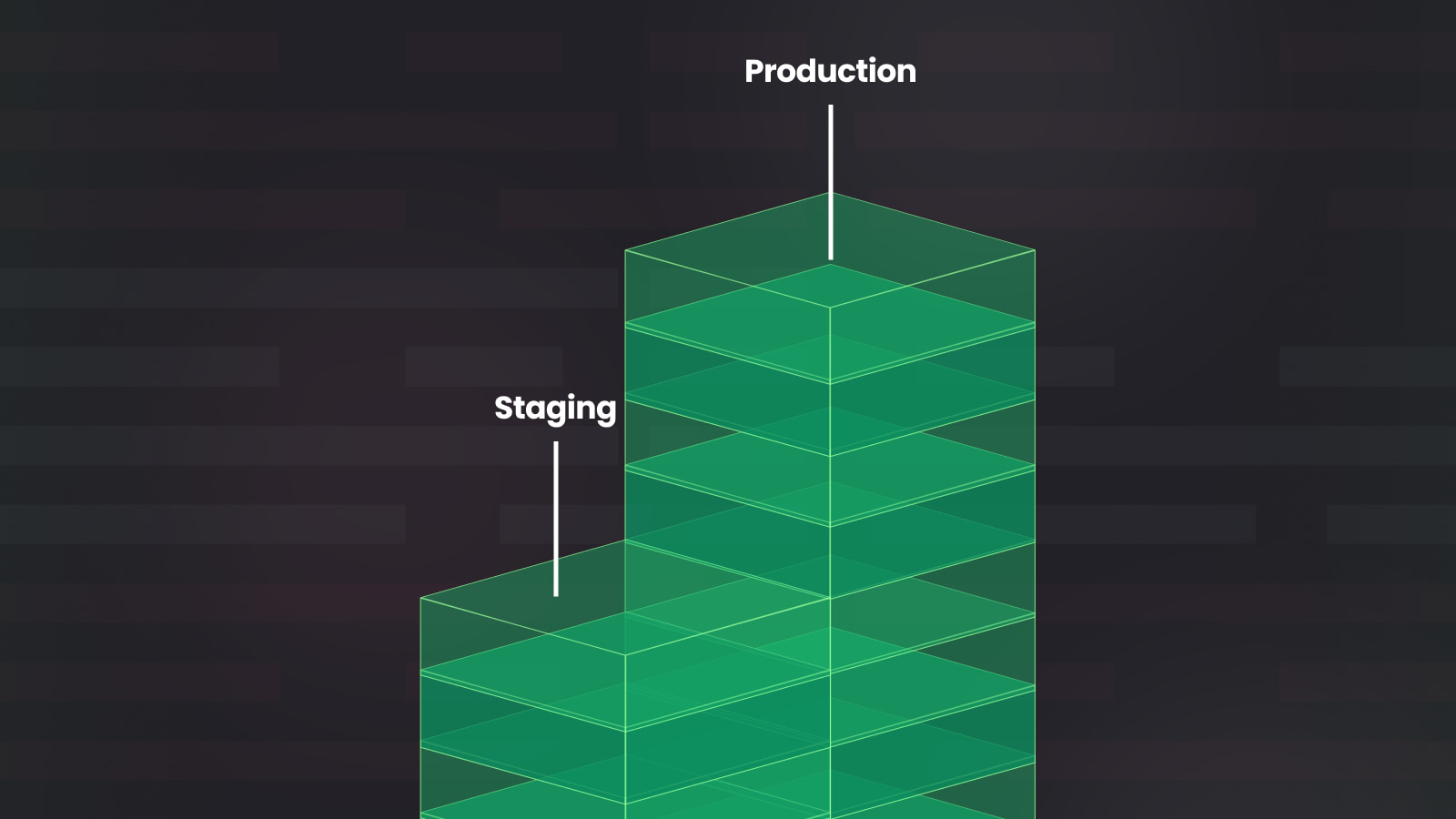
Most people treat the staging vs. production question as a trust problem. Either you trust staging enough to rely on it, or you don't. If you don't, you start looking for ways to test in production instead. But that framing misses the real issue.
The real issue is that staging and production are environments with fundamentally different risk profiles, and most Playwright suites are configured as if they aren't.
This article covers what that misconfiguration looks like in practice, why it happens, and how to fix it with a concrete approach for what your Playwright configuration, test scope, and execution setup should look like in each environment.
If you already know what belongs where and want the configuration details, skip to Playwright Configuration That Should Differ by Environment or the Quick Reference table.
The two failure modes that bring you here usually look like this:
The first is over-trusting staging. Zalando's engineering team lived this one publicly. They'd invested heavily in Cypress E2E tests, reaching 95% reliability across 120 daily deploys. Then a production incident slipped through anyway: incomplete content from their headless CMS broke the React hydration contract on product detail pages, preventing users from adding items to carts. The regression was data-driven, not code-driven, so their staging tests never surfaced it. The tests were green, but they were testing a fiction.
The second is under-trusting staging. You've seen enough staging-passes-production-fails cycles that you've lost confidence in staging results entirely. You want production coverage, but you're not sure how to add it without triggering real-world side effects (emails sent, payments charged, data corrupted) that make running tests in production feel risky by default.
There's a third variant that's arguably worse: skipping staging entirely. Grafana Labs' February 2025 postmortem describes a TLS policy change that was tested in dev and assumed to be low-risk. The change was pushed to development, staging, and production simultaneously. It inadvertently destroyed load balancers across 25% of their services, causing a 150-minute partial outage. The team's own analysis: they "failed to fully test, and failed to reduce the blast radius of the change." When staging exists but gets treated as a rubber stamp, you get the worst of both worlds.
All three failure modes share a root cause: undifferentiated configuration. The same playwright.config.ts, the same test suite, the same execution setup, applied to two environments that have categorically different consequences for failure.
Playwright's flexibility makes this worse before it makes it better. It's easy to write tests that implicitly depend on staging-specific behavior: hardcoded record IDs, generous timeouts calibrated to slow staging infrastructure, auth fixtures that bypass the MFA flows production enforces. You don't realize those dependencies exist until something breaks. This article is about making them explicit and deliberate, not accidental.
The goal is aligning your configuration to each environment's purpose, and building the cultural foundations that make that alignment stick. For more on the cultural side, see How to build reliable Playwright tests: a cultural approach.
With that framing in place, the first question to answer is the most fundamental one: which tests should run where?
What Belongs in Staging and What Belongs in Production
The core split comes down to risk and reversibility. Staging is where you run anything that mutates state, triggers side effects, or depends on controlled data conditions, because the consequences are contained. Production should default to read-path flows that validate the live system is working for real users. Writes are not automatically off the table in production, but they require explicit isolation: dedicated accounts, scoped data partitions, and a reliable cleanup strategy. Without those controls in place, the default answer is staging.
When to Test in Staging
Staging is the environment that absorbs risk. The obvious cases are clear: a checkout flow that fires a Stripe charge, a test that creates and deletes user accounts, a workflow that sends real emails. Those belong in staging because the consequences of failure are contained.
The more interesting cases are the ones that look safe but aren't:
- "Read-only" tests that create ephemeral state. A test that loads a dashboard doesn't write to your database, but it may create a session record, fire analytics events, or generate audit log entries. In staging, this is noise. In production, those records pollute real analytics pipelines and inflate session counts unless your test accounts are explicitly excluded.
- Cache-warming flows. A test that navigates through a product catalog "just reading" may evict real user cache entries or warm CDN edges with test traffic patterns that skew cache hit ratios. If your CDN or application cache doesn't distinguish test traffic, this is a mutation in disguise.
- Write-path verification via dry-run endpoints. If your application exposes shadow or dry-run modes (e.g., a payment API that validates a charge without executing it), you can verify write-path correctness in production without side effects. But the dry-run endpoint itself must be production-hardened and explicitly designed for this. A staging-only endpoint that gets deployed to production by accident is a liability.
- Feature flag variant coverage. Testing the same user flow across multiple flag states is expensive and stateful. It belongs in staging, where flag configuration is controlled and data doesn't carry real consequences.
When to Test in Production
Production tests need to meet a high bar: read-path dominant, non-destructive, high-signal, and low-volume. The goal is validation, not exploration. Good candidates include:
- Homepage and critical landing page availability
- Authentication flow validation using dedicated service accounts
- Critical navigation flows (can a logged-in user reach their dashboard, their settings, their primary workflow?)
- Basic add-to-cart without checkout completion: confirming the cart system is functional without triggering an order or payment
The common thread: these tests confirm the live system is operational for real users. They do not try to cover every edge case. That coverage already exists in staging.
That list covers the obvious candidates. The harder question: what categories of failure can only be caught in production? These justify the operational cost.
Third-party integration behavior under real conditions. Your staging Stripe integration runs in test mode. Your production Stripe integration enforces rate limits, applies fraud scoring, and occasionally returns different error codes than the test mode sandbox documents. The same applies to SSO providers, CDN edge configurations, and payment gateways. A staging test that exercises your Okta login flow hits a sandbox tenant. In production, your Okta tenant enforces an MFA policy that your sandbox doesn't replicate, and the session token has a different TTL. You only find out when users can't log in after a deploy.
Infrastructure routing and geo-specific behavior. DNS resolution, CDN cache behavior, load balancer routing, and geo-IP decisions all differ between staging and production. If your application serves different content or redirects based on geography, staging can't reproduce that unless you've built an unusually sophisticated environment. Most teams haven't. One postmortem from unixy.io describes a deployment where tests passed against clean staging data, but production had 3% corrupted legacy records from a bug that was fixed months earlier. The new feature crashed on the first corrupted record it encountered.
Data-driven regressions. This is the Zalando pattern. The code is correct. The data is not. Production data has entropy that staging seed data can never reproduce: half-migrated records, deprecated fields that were never cleaned up, user-generated content with unexpected encoding. When your application's rendering depends on the shape of the data (CMS content, dynamic configurations, user-submitted templates), staging tests can pass indefinitely while production breaks.
The staging parity ceiling. Even well-maintained staging environments have structural fidelity limits. Staging shares infrastructure, runs on smaller instances, connects to different DNS, has no real traffic pressure, and often runs with relaxed security policies. Charity Majors at Honeycomb argues that every deployment is already a test in production, and that the answer is to invest in making production testing safe rather than pretending staging is a faithful replica. That's a strong philosophical position, and it's largely correct. The gap is in the execution: making production testing deliberate and configured rather than accidental.
The cost of production testing
None of this means production testing is free. Teams that start with three smoke tests tend to scope-creep into running their full regression suite against production within a year. The overhead adds up:
- Dedicated test accounts need provisioning, credential rotation, and explicit exclusion from analytics, billing, and support tooling. That's cross-team coordination with product, finance, and data engineering.
- WAF and bot detection allowlisting requires your security or platform team to maintain rules that exempt test traffic without creating a bypass that attackers can exploit.
- PII compliance for test artifacts means traces, screenshots, and video captured in production can contain real user data. Your retention and access policies need to account for this.
- Alert routing for production test failures requires integration with your incident management system. Someone has to own those alerts, and someone has to triage them at 2 AM.
If your organization can't absorb these costs, production testing will create more problems than it solves. We cover when to skip it entirely in "When production testing is not worth it".
Even in production, there are different types of tests, and when you treat them as the same, you end up configuring them incorrectly.
The Deployment vs. Monitoring Distinction
There are two distinct production use cases that often get conflated, and treating them identically leads to the wrong configuration for both.
Post-deploy smoke tests run immediately after a deployment. Their job is narrow: confirm that the critical paths survive the deployment. They should fail fast, run at low parallelism, and the failure of any single test should trigger investigation or rollback. Speed matters, but completeness matters more. If your smoke suite passes but something critical is broken, the suite has failed its purpose.
Synthetic monitoring runs continuously on a schedule, every few minutes, regardless of deployment cadence. Its job is to catch production degradation that isn't caused by a deployment: upstream dependency failures, database slowdowns, certificate expirations, and infrastructure issues. These tests need to be extremely stable and deterministic because every failure routes to an alerting system. A flaky synthetic monitor trains your on-call team to ignore alerts, which is worse than having no monitor at all.
A single test suite can serve both use cases, but only with deliberate tagging and separate project configurations in playwright.config.ts. The tests themselves can be shared; the execution context and operational requirements differ.
Who owns what matters. Post-deploy smoke tests are usually owned by the QE or development team because they're part of the deployment pipeline. Failures block releases, and the people who wrote the code are the ones who need to investigate. Synthetic monitoring typically belongs to SRE or platform engineering because failures route to on-call and require operational response, not code investigation. When the same team owns both, alert fatigue from noisy smoke tests bleeds into monitoring response times. When ownership is split clearly, each team can set appropriate severity and escalation policies for their failure type.
The maturity path is sequential, not parallel. Most teams start with post-deploy smoke tests because the operational bar is lower: you run them in CI, failures block a deploy, and the feedback loop is immediate. Synthetic monitoring is a separate capability that requires stable tests (near-zero false positives), integration with your alerting stack, on-call runbooks for test-specific failures, and organizational buy-in that a test failure at 3 AM is worth waking someone up for. If your smoke tests have a flakiness rate above 2-3%, you're not ready for synthetic monitoring. Fix the stability first.
Shopify takes this further by running deliberate "game day" exercises where they trigger failure modes in production systems to practice incident response. That's a level beyond smoke tests and synthetic monitoring, but it illustrates the progression: you earn the right to do more aggressive production testing by proving you can handle the simpler version reliably.
One more thing worth naming: Playwright is not always the right tool for every production monitor. You might be better off using lightweight HTTP probes or uptime checks for availability monitoring and reserving Playwright for the narrow set of flows that require a real browser: auth, checkout entry points, and client-side rendering validation. If a check doesn't need a browser, it probably doesn't need Playwright. That distinction keeps your synthetic monitoring suite lean and reduces the surface area for flakiness.
With those two use cases separated, the decision logic for any individual test becomes more tractable.
Decision Framework
When deciding where a test belongs, ask:
- Does this test mutate shared production data?
- Does it trigger external side effects (email, payments, webhooks)?
- Would a false positive cause an operational incident?
- Is the signal high enough to justify production execution?
- Does staging faithfully simulate this scenario?
The decision usually falls out naturally:
| Test characteristic | Environment |
|---|---|
| Mutates state or data | Staging |
| Read-only and high-signal | Production |
| Expensive, destructive, or exploratory | Staging |
| Validates real infrastructure behavior | Production |
| Depends on controlled data conditions | Staging |
| Non-destructive, deterministic, critical path | Production |
| Creates ephemeral state (sessions, audit logs) | Production, if test accounts are excluded from analytics |
| Write-path validation via dry-run endpoints | Production, if the endpoint is production-hardened |
| Cache-warming or CDN-dependent flows | Staging, unless test traffic is isolated at the CDN level |
Knowing where a test belongs is the starting point. Every configuration difference that follows maps back to three things: risk tolerance (can this environment absorb a destructive test?), blast radius (does a failure affect an engineer or a real user?), and signal fidelity (is a failure trustworthy or noise?). If a configuration difference doesn't trace back to one of those, it's accidental drift.
When production testing is not worth it
The decision framework above helps you decide where individual tests belong. But there's a higher-level question worth answering first: should your team be running production tests at all?
Production testing is not a maturity badge. It's an operational commitment. For some teams, the answer is "not yet" or "not at all," and that's the correct answer.
Your application is write-path dominant. If your core user flows are form submissions, data entry, transactions, and workflows that modify state, the set of production-safe read-only smoke tests covers a thin slice of your actual risk surface. You'll invest significant effort in test account isolation, data cleanup, and side-effect prevention for coverage that doesn't meaningfully reduce your exposure. Your testing effort is better spent on staging fidelity.
You don't have platform support to maintain it. Production testing requires cross-team coordination: WAF allowlisting with security, test account exclusions with data engineering, alert routing with SRE, PII compliance with legal. On a team of five engineers shipping a SaaS product, that coordination overhead doesn't exist as a separate function. It falls on the same people writing the tests. If maintaining the production test infrastructure takes more time than the bugs it catches, the math doesn't work.
You're in a strict compliance environment. Under HIPAA, PCI-DSS, or SOX, test traffic that touches production data creates audit exposure. Test accounts that can read real patient records, financial transactions, or regulated data, even read-only, may need to be documented, access-logged, and periodically reviewed. If your compliance team hasn't signed off on the isolation model, don't start running tests.
Staging is the actual problem. This is the most common trap. Teams lose confidence in staging because it's stale, under-resourced, or poorly maintained. Instead of fixing the root cause, they route around it by testing in production. That works until the production test suite grows, the operational overhead compounds, and you still have a broken staging environment that can't catch regressions before they ship. Production testing should complement good staging, not replace it. If your staging passes-but-production-fails cycle is driven by stale deploys, bad seed data, or relaxed auth config, fix those problems directly. The "Staging as a First-Class Engineering Concern" section covers how.
If none of these apply and you have the organizational support to maintain it, production testing is worth the investment. The rest of this article assumes you've made that decision deliberately.
The Real Differences Between Staging and Production
Configuration should follow from environment reality, not convention. Here's what actually differs between staging and production from a Playwright test design perspective.
Data State
Staging runs against seeded, synthetic, or anonymized data. Production has real user data (real transaction history, real edge cases) that staging datasets never anticipate, and real entropy. A user who changed their email three times, an order stuck in an intermediate state, and a product variant that was deprecated but not cleaned up.
Tests that rely on specific data existing (a particular user ID, a product SKU, a specific order state) are fragile in staging and potentially destructive in production if they try to create or modify that data. The implication is clear: production tests must be either purely read-path or use isolated, dedicated test accounts and data fixtures explicitly provisioned for testing.
// ❌ Anti-pattern: hardcoded record ID only exists in seeded staging data
await page.goto("/users/12345/dashboard");
await expect(page.locator('[data-testid="username"]')).toHaveText(
  "test-user@example.com",
);

// ✅ Production-safe: use Playwright's built-in request fixture ({ request } in test params)
// to resolve the current user, then navigate using the returned ID
const response = await request.get("/api/me");
const { id: userId } = await response.json();
await page.goto(`/users/${userId}/dashboard`);
await expect(page.locator('[data-testid="username"]')).toBeVisible();
Infrastructure and Integrations
Staging typically uses sandboxed or stubbed third-party integrations. Stripe is in test mode. Emails route to a fake SMTP sink. The identity provider accepts a test credential that bypasses MFA. This is correct behavior. It prevents side effects from touching real systems.
Production uses the real integrations. Real rate limits. Real SLAs. Real billing. A test that fires 50 parallel requests to a payment API in staging (hitting a mock) will trigger rate limiting, generate costs, or cause an incident in production. Infrastructure divergence is not just a data problem; it is an operational risk that compounds under parallelism.
Performance Characteristics
CDN caching, real database query performance, background job processing, queue latency, all of these differ between environments. Staging infrastructure is often shared, under-resourced, or running on spot instances. Production is optimized for real traffic.
This has a direct implication for timeout configuration. Timeouts calibrated to staging infrastructure will produce false negatives in production under real load, and vice versa. There is no single timeout value that works correctly in both environments.
Feature Flags and Rollout State
A test written against a feature that's fully enabled in staging may be exercising a code path that's behind a percentage rollout in production, available to only a subset of users. Your test account may or may not be in that cohort. Tests that depend on specific feature flag states need to either control those states explicitly or be scoped to the environments where the state is predictable. Shopify's approach to this is to use beta flags with explicit targeting, so new features can be activated for specific accounts in production without exposing untested code paths to real users. The pattern applies directly to Playwright test accounts.
In practice, controlling flag state for production tests means explicitly targeting your dedicated test service accounts in your feature flag system. If your test account is in a percentage rollout cohort, the test may exercise different code paths across runs.
You'll see a test that passes 70% of the time in CI with no code changes between runs. The trace shows different UI elements rendering on different attempts. That's not flakiness. That's your test account landing on different sides of a rollout.
The fix is to pin test accounts to a specific flag variant. Most feature flag platforms support this directly. In LaunchDarkly, you'd add a targeting rule that matches your test account's email or user ID and serves a fixed variation. In a generic setup, you can use a Playwright fixture that calls your flag service's API before the suite runs:
// fixtures/flags.ts
test.beforeAll(async ({ request }) => {
  if (process.env.TARGET_ENV === "production") {
    await request.post("/api/internal/feature-flags/override", {
      data: {
        userId: process.env.TEST_ACCOUNT_ID,
        flags: { "new-checkout-flow": true },
      },
    });
  }
});
This also affects test tagging. If a feature is behind a partial rollout in production, tests that exercise that feature should not be tagged @smoke or @monitor until the rollout is at 100% or your test account is pinned. A smoke test that only works when the flag evaluates to true is a flaky smoke test in disguise.
In staging, use flag overrides or a test-specific flag configuration to ensure deterministic coverage of each variant.
Auth and Session Behavior
Session expiry, token rotation policies, SSO enforcement, and MFA requirements often differ between environments. storageState files generated in staging are not valid in production and vice versa. This is a configuration issue. The auth fixture layer must be environment-aware from the ground up.
Session bleed between tests is not a default Playwright behavior. By default, Playwright isolates browser context per test. It happens when you intentionally reuse auth state, share worker fixtures, or rely on persisted sessions across test runs. That isolation model is one of Playwright's strongest defaults. Problems arise when configuration deliberately bypasses it, which is exactly what shared storageState does. That tradeoff is sometimes correct, but it should be a conscious decision, not an accidental one.
Rate Limiting and Bot Detection
Production environments commonly have WAF rules, rate limiters, and bot detection that staging either lacks or has configured permissively. Playwright's default Chromium fingerprint and request cadence patterns are recognizable to services like Cloudflare, Akamai, and PerimeterX. Aggressive parallelism in production, the same settings that work fine in staging, can trigger bot mitigation, block your test runners, or flag your test service accounts for fraud review.
That's a long list of things that differ, which makes it worth being equally explicit about what shouldn't.
What Should Stay the Same Across Environments
Equally important as knowing what to change is knowing what should be immutable. These are the parts of your Playwright setup that should be environment-agnostic by design.
Test Logic
The assertion logic, user flow steps, and expected outcomes of a test should not change based on the environment. If a test behaves differently in staging versus production because the test logic itself differs, that's a signal that the test is testing the environment, not the application. Environment-specific behavior belongs in configuration and fixtures, never in test bodies.
One exception to the 'same test logic' principle: network mocking via page.route(). Tests that mock external APIs in staging should not carry those mocks into production, where the goal is to validate real integrations. If your staging tests use page.route() to stub third-party responses, gate those mocks behind an environment check in your fixture layer, or split them into staging-only fixtures that production projects don't import. A production test that silently mocks the payment API defeats the purpose of running it in production.
Keeping test logic clean depends on having a fixture and helper layer that does the environment-specific heavy lifting below it.
The Fixture and Helper Layer
Auth fixtures, API helpers, and test data factories should abstract environment-specific details, like base URLs, credentials, and API endpoints, so test bodies remain clean and portable. A test that works in staging and fails in production should fail because of an application difference, not because it hardcodes a staging URL in the middle of a flow.
Abstraction handles the inputs to your tests. Observability is about what you capture when they run, and that shouldn't degrade when you cross into production.
Reporting and Observability
The same observability standards should apply across environments, but the artifact capture policy may differ. Visibility shouldn't degrade in production. If anything, it should improve. Production test failures are operational events. They deserve better observability than staging failures, not worse.
Visibility into failures is only useful if your retry policy isn't quietly swallowing them first.
Retry and Flake Policy
Retry logic should be consistent and intentional, but "consistent" means the principle stays the same across environments, not necessarily the retry count. The principle is this: retries should reflect your explicit tolerance for transient failures, not compensate for a poorly configured suite. In staging, retries: 2 is reasonable. The infrastructure is less stable and some noise is acceptable. In production, the right count depends on the use case. Post-deploy smoke tests can tolerate retries: 1 because a single transient failure during a deployment window is plausible.
Synthetic monitoring should use retries: 0. A monitor that retries before alerting delays incident detection and trains on-call engineers to discount failures. Some teams argue for retries: 1 to absorb transient DNS blips or load balancer hiccups. That's a reasonable position, but the tradeoff is real: every retry adds latency to incident detection, and a retry that passes silently hides a signal that your infrastructure had a moment of instability.
If transient failures are frequent enough to justify retries, that's an infrastructure problem worth fixing, not a test configuration to work around. What should never happen in either production context is adding retries to absorb known instability. That's masking signal. We go deeper on diagnosing the root causes of flakiness, including timeout misconfigurations that often drive the impulse to add retries, in debugging Playwright timeouts.
Test Tagging and Categorization
Tags like @smoke, @critical, and @read-only should be applied in the test source, not added ad hoc for specific environments. Environment-specific test selection should be driven by tag filtering at the runner level, not by duplicating test files per environment. Separate files mean separate maintenance burdens and inevitable divergence.
With the stable foundation established, here's where deliberate divergence begins.
Playwright Configuration That Should Differ by Environment
Here is the practical, technical core. Each dimension needs deliberate, environment-specific configuration.
baseURL and Environment Resolution
Resolve baseURL from environment variables in playwright.config.ts and validate at config load time that required variables are set. Fail fast before any test runs, not midway through a suite.
export default defineConfig({
  projects: [
    {
      name: "production-smoke",
      grep: /@smoke/,
      use: { baseURL: requireEnv("PROD_URL") },
    },
    {
      name: "staging-full",
      grepInvert: /@skip-staging/,
      use: { baseURL: requireEnv("STAGING_URL") },
    },
  ],
});
The multi-project configuration lets you run the same test suite simultaneously against staging and production. This is useful for validating that staging results actually predict production behavior. Tracking your test suite health across environments covers how to make that cross-environment comparison concrete and actionable.
Routing requests to the right environment is the prerequisite. Giving those requests the right amount of time to complete is where most configurations quietly go wrong.
Timeouts
navigationTimeout, actionTimeout, and assertion timeout should be tuned per environment. Production under real CDN behavior and database query variability will have different p95 page load times than a staging environment running on shared infrastructure. The anti-pattern is a single global timeout that's either too tight for production or too loose to give fast feedback in staging.
NOTE: Playwright's default actionTimeout is 0 (no limit), and the default test timeout is 30 seconds. All values below are explicit overrides. They must be calibrated based on your production application's actual performance metrics (e.g., p95) to avoid flakiness.
// staging.config.ts
export default defineConfig({
  timeout: 30_000,
  expect: { timeout: 8_000 },
  use: {
    actionTimeout: 10_000,
    navigationTimeout: 20_000,
  },
});

// production.config.ts
export default defineConfig({
  timeout: 15_000,
  expect: { timeout: 5_000 },
  use: {
    actionTimeout: 5_000,
    navigationTimeout: 10_000,
  },
});
Tighter production timeouts serve a dual purpose: they give you a faster signal on real failures, and they surface genuine performance regressions that looser timeouts would silently absorb.
A caveat: production experiences real-world variability that staging doesn't. During peak traffic, CDN cache misses, or third-party latency spikes, tighter timeouts may produce false failures. The values above assume your production smoke tests run during low-traffic windows or against infrastructure that's isolated from user traffic. If your tests run continuously against shared production infrastructure, calibrate timeouts to your application's p95 response times with a reasonable margin, not to an aspirational target.
How to derive timeout values: Run your smoke suite with trace: 'on' for a week and collect action timings from the Playwright trace viewer. Alternatively, pull p95 navigation and API response times from your APM tool (Datadog, New Relic, Grafana). Set each timeout to roughly your p95 + 50% margin. For example, if your production dashboard page loads at p95 in 3.2 seconds, a navigationTimeout of 5,000ms gives you headroom without masking real regressions. Re-check these baselines quarterly or after major infrastructure changes.
Trace, Screenshot, and Video Configuration
In staging, maximize debuggability. trace: 'on-first-retry', screenshots on failure, video for complex flows, you want maximum information when a test fails because fixing it quickly matters.
In production, apply conservative defaults for a reason that goes beyond performance: traces and videos of production sessions can capture real user data and PII. If your production smoke tests run against shared sessions, or if your service accounts have access to user data, a retained trace is a potential privacy incident.
// staging.config.ts
use: {
  trace: 'on-first-retry',
  video: 'on-first-retry',
  screenshot: 'only-on-failure',
}

// production.config.ts
use: {
  trace: 'retain-on-failure',  // Keep for diagnosis, but only on failure
  video: 'off',                // Never capture video in production
  screenshot: 'off',           // Screenshots may capture sensitive data
}
Video capture in production should be avoided unless tests are run against fully isolated, data-empty test accounts with no exposure to real user records.
For synthetic monitoring against accounts that access real user data, keep screenshots and video off. For post-deploy smoke tests running against fully isolated, dedicated test accounts with no access to real user records, screenshot: 'only-on-failure' provides valuable diagnostic context without PII exposure. The decision depends on the isolation level of your test accounts, not on the environment itself.
Parallelism and Worker Count
Staging can typically absorb aggressive parallelism. Production cannot. Parallel test workers hitting production generate synthetic load, can trigger rate limiters, and may affect real user sessions in ways that are difficult to attribute or roll back.
// staging.config.ts
export default defineConfig({
  fullyParallel: true,
  workers: undefined, // Use default (half of logical CPU cores)
  retries: 2,
});

// production.config.ts
export default defineConfig({
  fullyParallel: false,
  workers: 2, // Hard cap: 2 concurrent workers
  retries: 0, // Zero retries: failures are operational signals
});
Production retry policy depends on the use case. For continuous synthetic monitoring, use retries: 0. Every failure is an operational signal and should trigger an alert. For post-deploy smoke tests, retries: 1 is a pragmatic choice: it absorbs the transient instability that's normal immediately after a deployment without masking persistent failures.
The key distinction is that a synthetic monitor failure means 'production is degraded right now,' while a post-deploy smoke failure means 'this deployment may have broken something.' The appropriate retry tolerance follows from that difference.
Auth Setup and storageState
storageState files are environment-specific and should be treated as such. The globalSetup that generates them must use the correct credentials and base URL for the target environment. Do not share storageState files across environments.
// fixtures/auth.ts
import { test as base } from "@playwright/test";

// TEST_ACCOUNTS and loginAs are project-specific.
// TEST_ACCOUNTS: array of { username, password } objects, one per worker.
// loginAs: helper that performs login via the UI or API and stores session state.

// For read-only production smoke tests: shared pre-baked auth state
export const sharedAuth = base.extend({
  page: async ({ browser }, use) => {
    const storageStatePath = process.env.PROD_AUTH_STATE_PATH;
    if (!storageStatePath) {
      throw new Error(
        "The PROD_AUTH_STATE_PATH environment variable must be set.",
      );
    }
    const ctx = await browser.newContext({
      storageState: storageStatePath,
    });
    await use(await ctx.newPage());
    await ctx.close();
  },
});

// For state-modifying staging tests: worker-scoped isolation
export const isolatedAuth = base.extend({
  page: async ({ browser }, use, testInfo) => {
    const workerIndex = testInfo.workerIndex;
    if (workerIndex >= TEST_ACCOUNTS.length) {
      throw new Error(
        `Not enough test accounts for parallel workers. Worker ${workerIndex} needs an account, but only ${TEST_ACCOUNTS.length} are defined.`,
      );
    }
    const account = TEST_ACCOUNTS[workerIndex];
    const ctx = await browser.newContext();
    await loginAs(ctx, account);
    await use(await ctx.newPage());
    await ctx.close();
  },
});
Note: Using workerIndex for account isolation is a simple approach, but it can be fragile. A more robust pattern for larger suites is to use an atomic leasing mechanism or a dedicated API to check out and release unique test accounts per test.
Shared storageState is acceptable for production smoke tests only when the flows are stable and read-dominant. It introduces a single point of failure. If the stored session expires or the account state changes, every test that depends on it fails together, and it creates hidden coupling that's easy to miss until something breaks at 2 AM. For any flow that modifies server-side state, even in staging, use worker-scoped isolated accounts instead.
In production, auth setup must use dedicated test service accounts, never shared credentials, never accounts tied to real users. This is a hard requirement, not a best practice. Real user sessions contaminated by test execution generate fraudulent activity data, corrupt user-specific state, and create compliance exposure if that session data ends up in traces or test artifacts.
Watch for storageState expiration. A globalSetup that logs in once can silently go stale if the session expires before the last test in a long suite finishes. The safest approach: re-login in globalSetup on every CI run, not just when the file is missing. Add a lightweight health check (a GET /api/me that returns 401 on expired sessions) at the start of globalSetup to detect stale auth before the suite runs. For credential rotation, store service account passwords in your secrets manager (Vault, AWS Secrets Manager, 1Password) and reference them via environment variables so rotation never requires a code change.
Getting auth right ensures your tests can execute safely. Getting test selection right ensures the right tests are executed at all.
Test Selection via Tags and Projects
Use --grep or Playwright project filtering to run only safe, read-path, non-destructive tests in production. Define what "safe for production" means explicitly and enforce it at the project configuration level:
// A helper function should be used to ensure required environment variables are present.
const requireEnv = (name: string): string => {
  const value = process.env[name];
  if (!value) {
    throw new Error(`Missing required environment variable: ${name}`);
  }
  return value;
};

// playwright.config.ts
// Assuming `productionConfig`, `monitorConfig`, and `stagingConfig` are
// imported objects containing shared configuration for each environment.
projects: [
  {
    name: "production-smoke",
    grep: /@smoke/, // Only @smoke-tagged tests
    use: {
      baseURL: requireEnv("PROD_URL"),
      ...productionConfig,
    },
  },
  {
    name: "production-monitor",
    grep: /@monitor/, // Synthetic monitoring subset
    use: {
      baseURL: requireEnv("PROD_URL"),
      ...monitorConfig,
    },
  },
  {
    name: "staging-full",
    grepInvert: /@skip-staging/,
    use: {
      baseURL: requireEnv("STAGING_URL"), // ✅ Points to safe environment
      ...stagingConfig, // ✅ Uses staging-specific settings
    },
  },
];
"Safe for production" means: no data mutation, no third-party API calls that generate side effects (emails, charges, notifications), no tests that depend on specific data state that may not exist in production, no tests that require write permissions on shared resources.
Running Playwright in Production Safely
Configuration gets you the right settings. This section is about the execution practices that make production testing something you can trust long-term.
The Non-Destructive Test Contract
Every test that runs in production should be auditable against a non-destructive checklist:
- Does it write to the database?
- Does it send an email, SMS, or push notification?
- Does it trigger a payment or financial transaction?
- Does it fire a webhook or external API call with side effects?
- Does it modify session state for a real user account?
If the answer to any of these is yes, the test should not run unguarded in production. The most reliable way to enforce this is structurally, at the fixture and helper layer, rather than through naming conventions or documentation that developers need to remember to follow. A production auth fixture that uses a read-scoped service account makes mutation physically impossible, not just policy-prohibited.
The contract defines what tests are allowed to do. Account and data isolation define the boundaries within which they're allowed to do it.
Dedicated Test Accounts and Data Isolation
Production test accounts should be provisioned via infrastructure tooling (Terraform, Pulumi, a provisioning script in your IaC repo) not created manually. Manual accounts get forgotten, reused inappropriately, or cleaned up by a support engineer who doesn't know they're test accounts.
Production test accounts need to be:
- Identifiable: a consistent naming convention or account attribute that makes them recognizable in logs, support tooling, and billing reports
- Rotatable: credentials that can be updated via secrets management without a code change
- Minimally scoped: permissions limited to exactly what the tests require, nothing more
- Excluded: from analytics, from user counts, from revenue calculations
If tests generate any data in production, even read-path tests sometimes create ephemeral sessions or audit log entries, there needs to be a cleanup strategy: either immediate teardown in fixture cleanup, or a scheduled job that identifies and purges records associated with test accounts.
Isolated accounts and clean data boundaries are prerequisites for both production use cases, but those two use cases still require different execution models.
Synthetic Monitoring vs. Deployment Validation
These two use cases have different requirements that are worth being explicit about.
Post-deploy smoke tests prioritize completeness and speed. They should cover every critical path in the application and finish quickly enough to be part of your deployment pipeline. A failure should block promotion or trigger an automatic rollback.
Synthetic monitoring prioritizes reliability and alerting integration. Every failure generates an operational alert. That means the tests in a synthetic monitoring suite must have near-zero false positive rates. A single flaky test in your monitoring suite destroys confidence in the entire alert channel.
Zalando's solution to the CMS incident mentioned earlier is a good model here. They built Playwright-based "test probes" running on a 30-minute cron, covering only three critical customer journeys (home page to product, catalog with filters to product, product to cart to checkout).
Before enabling paging, they ran in "shadow mode" for weeks, fixing selectors and improving resilience until false positives stopped. Since going live, they've been paged exactly once, and it was a genuine incident. That's the bar for synthetic monitoring: if your on-call team starts ignoring alerts, you've already failed.
Structure your suite with separate tags for each use case, then use Playwright project configuration to run them with different cadences, parallelism settings, and alert routing. The tests themselves can overlap; the execution context should not.
Alerting and Incident Integration
Production test failures are operational events. They should route to the same alerting infrastructure as application errors (PagerDuty, OpsGenie, Slack incident channels), not to a test results dashboard that an engineer might check once a day.
This requires more than just Playwright. You need a layer that translates test failure events into incident alerts with the right routing, severity, and context. Currents can serve as that intermediary: centralized result tracking across environments, failure history that distinguishes a first-time failure from a recurring pattern, and webhook integrations that connect test failures directly to your incident workflow.
When a synthetic monitor fails, the alert should arrive with enough context: which test, which step, which environment, how many consecutive failures, so that the on-call engineer doesn't need to log into a dashboard to understand the scope.
Playwright and WAF/Bot Detection
If your production environment uses Cloudflare, Akamai, PerimeterX, or similar WAF and bot detection services, you need to coordinate with your security or platform team before running Playwright tests in production. This is not a Playwright configuration problem you can solve alone.
Practical mitigations:
- Dedicated IP ranges for test runner infrastructure, whitelisted at the WAF level
- User-agent identification: set a recognizable user-agent string in your Playwright config so WAF rules can allow-list it
- Request header whitelisting: a custom header that identifies synthetic traffic, excluded from bot scoring
- Low parallelism: the single most effective mitigation, since bot detection is primarily triggered by request cadence patterns.
// production.config.ts
use: {
  userAgent: 'PlaywrightSmokeTest/1.0 (+https://yourcompany.com/synthetic-monitoring)',
  extraHTTPHeaders: {
    'X-Synthetic-Test': 'true',  // Coordinate with your WAF team to allowlist this header
  },
},
These require platform team coordination. Build that into your rollout plan for production testing, not as an afterthought when your test runner starts hitting CAPTCHA challenges.
Staging as a First-Class Engineering Concern
If your staging environment is unreliable, the answer isn't to abandon it for production testing. The answer is to fix staging while selectively layering in production coverage. A weak staging environment and strong production monitoring are not substitutes for each other. They're both necessary, and staging problems that aren't fixed will eventually surface as production incidents.
The specific things that make staging results untrustworthy, and how to address them:
Stale deployments. Staging falls behind production when deployment to staging is manual, infrequent, or lower priority than shipping. The fix is treating staging deployment as part of the same pipeline as production, not a separate, optional step. Infrastructure-as-code and automated promotion gates keep environments in sync.
// Detect stale staging deployments before running the suite
test.beforeAll(async ({ request }) => {
  const response = await request.get("/api/version");
  const { version } = await response.json();
  const expected = process.env.EXPECTED_VERSION;
  if (expected && version !== expected) {
    throw new Error(
      `Staging is running ${version} but expected ${expected}. Deployment may be stale.`,
    );
  }
});
Synthetic data that doesn't reflect production edge cases. Staging datasets are created once and age poorly. Production data evolves in ways that expose new failure modes. The mitigation is periodic anonymized production data snapshots into staging, combined with data factories that generate realistic edge-case records programmatically rather than relying on static seed files.
For PostgreSQL, tools like postgresql_anonymizer can mask PII columns in-place during the snapshot. For other databases, a custom ETL pipeline that hashes emails, randomizes names, and nullifies payment details is straightforward to build. Run these snapshots on a weekly cadence and automate the import into staging so the data stays fresh without manual intervention.
Relaxed auth and security configuration. When staging bypasses MFA, uses permissive session TTLs, and disables WAF rules, tests pass in conditions that don't exist in production. Staging security configuration should mirror production as closely as possible, even if it creates friction during development. The friction is the point. It surfaces auth-related failures before they reach production.
Using Playwright results diagnostically. If a test passes consistently in staging but fails consistently in production, it's a parity signal. The test has identified a specific dimension where staging doesn't reflect production behavior. Currents makes this cross-environment comparison concrete: you can see whether staging failures predict production failures, identify which tests have environment-specific failure patterns, and trace the divergence back to a specific configuration or data difference rather than dismissing it as noise.
Staging and production, treated as complementary rather than competing concerns, are what make the approach below sustainable rather than just theoretical.
Quick Reference: Configuration Summary
The table below is a condensed configuration reference for all three execution contexts. It's intentionally split by production use case. Smoke and monitoring have different retry posture and should not share a single configuration profile.
| Setting | Staging | Production — Smoke | Production — Monitoring |
|---|---|---|---|
| fullyParallel | true | false | false |
| workers | Auto (half CPU cores) | 2 | 1 |
| retries | 2 | 1 | 0 |
| timeout | 30_000 ms | 15_000 ms | 15_000 ms |
| actionTimeout | 10_000 ms | 5_000 ms | 5_000 ms |
| navigationTimeout | 20_000 ms | 10_000 ms | 10_000 ms |
| expect.timeout | 8_000 ms | 5_000 ms | 5_000 ms |
| trace | on-first-retry | retain-on-failure | retain-on-failure |
| video | on-first-retry | off | off |
| screenshot | only-on-failure | off | off |
| storageState | Worker-scoped test accounts | Shared, read-dominant service account | Shared, read-dominant service account |
| grep | All tests (except @skip-staging) | @smoke | @monitor |
Final Words
The question isn't "staging or production?" It's "what is each environment for, and does your Playwright configuration match that purpose?"
Staging catches regressions before they reach users. Production validates the real system works for real users. Those two purposes are complementary, not competing. If you have a clearly defined role for each environment, a test suite tagged and configured to match, and an observability layer that makes cross-environment comparison continuous, you're in good shape.
Join hundreds of teams using Currents.
Trademarks and logos mentioned in this text belong to their respective owners.