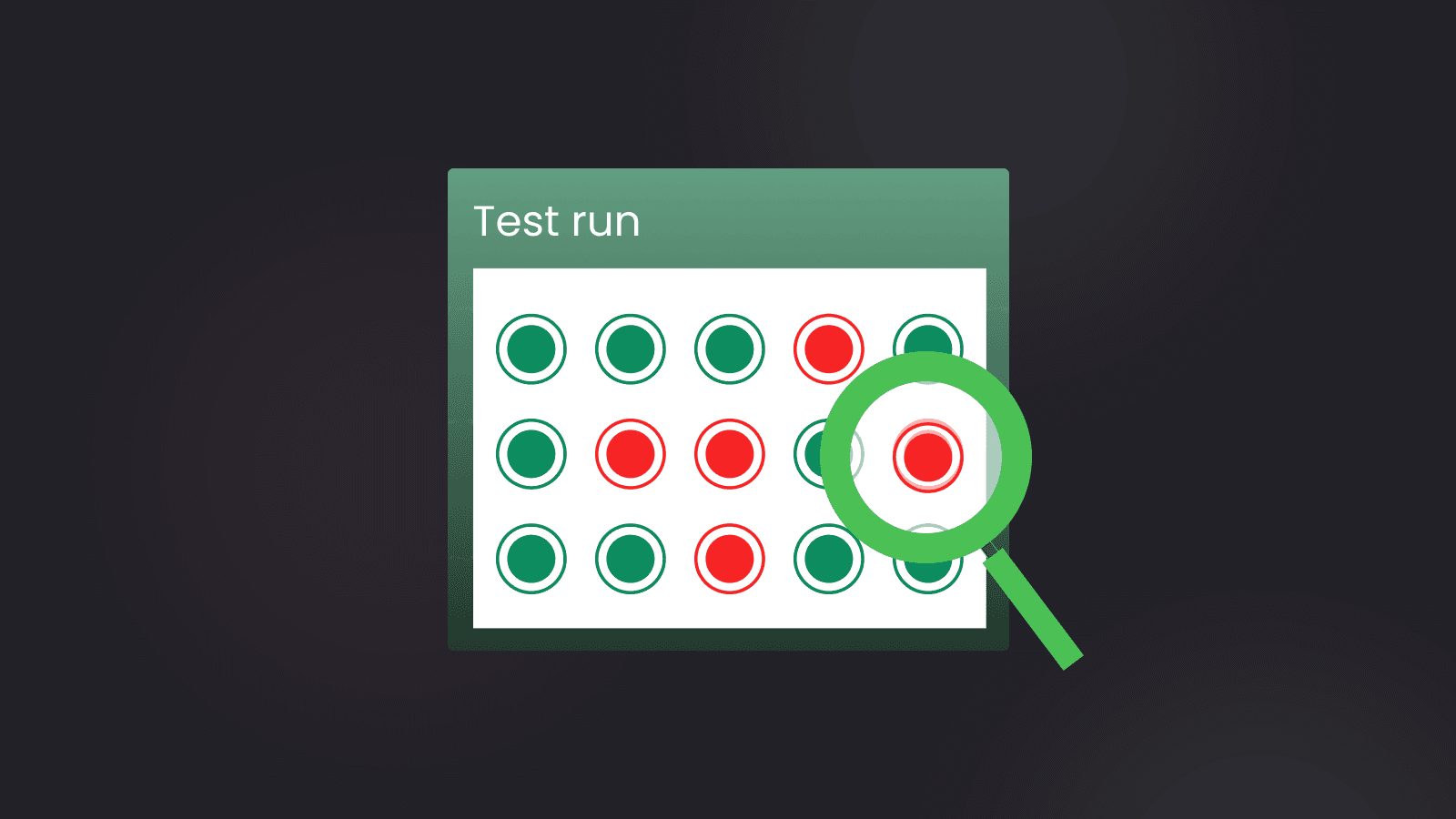

A test goes red in CI, someone clicks rerun, and the second run passes. Nobody touched the code. That is a flaky test: it passes and fails on the same code. Each one blocks a merge, and enough of them teach a team to stop reading red builds.
Playwright Test catches only part of the problem. It doesn't retry failing tests by default. Once you turn retries on, it labels a test "flaky" when the test failed on the first run and passed on a retry (Playwright's retries docs). That label belongs to one run. It can't tell you which tests flaked on Monday and again on Thursday, how often each one flakes, or which ones cost you the most reruns.
Currents Test Explorer, for example, shows each test's history of executions. For a Playwright team, three things decide whether a tool is worth adding: how it gets Playwright's results, whether it keeps each test's history across runs, and whether it can quarantine a test without a code change.
How we picked
Playwright's own flaky signal is the baseline every tool here has to improve on. With retries on, a test that fails and then passes on a retry gets the outcome 'flaky' in the reporter API. The failOnFlakyTests option makes the run exit with an error when any test is marked flaky, which the docs call useful on CI. Playwright 1.61 added fullConfig.failOnFlakyTests, which mirrors that option so reporters can explain why such a run failed. All of it rests on Playwright's "flaky" status, which marks a test that failed on the first run but passed when retried.
Rerunning a red CI job until it passes hides flakiness the same way retries do, at a larger scale. The rerun costs time and fixes nothing.
How results reach a tool
Playwright Test ships built-in reporters and supports custom ones. The route a tool takes to Playwright's results decides what the tool can see.
A JUnit-based tool sees only what the JUnit file records. A team that fed Playwright's JUnit output to a flaky-test detection tool asked for every retry to be written to the file, because retries masked some of the flakiness (#29446). The issue was closed as completed, with no release named in the thread (#29446).
What each tool is judged on
Past that baseline, five questions separate the tools:
- Does it keep each test's results across runs and flag a test whose outcome changes on the same code, instead of relying only on Playwright's retry-based "flaky" status?
- Can it stop a flaky test from failing the build without editing the test, while the test still runs or is still tracked?
- Does it rank flaky tests by flake rate or impact, so the worst get fixed first?
- Does it show each failure's error, or group failures by cause?
- Does it tell an owner when a test starts flaking?
A tool that works only with other test frameworks doesn't help a Playwright suite, and a mobile test-authoring platform writes new tests instead of analyzing the suite you have, so neither kind is on the list. Every claim about a tool comes from its own documentation.
Currents
Currents is our product. Test Explorer displays performance and health metrics for test cases, and clicking a test's title opens a view with its history of executions, its performance metrics and its top errors.
Cross-run flake history
Test Explorer gives each test a flakiness rate: the percentage of its executions that had a non-deterministic outcome. A single run's "flaky" label can't give you that number.
Impact ranking
The Test Explorer docs point out that a slightly flaky test that runs a lot can be a bigger problem than a very flaky test that rarely runs. Test Explorer also computes flakiness impact, the flakiness rate multiplied by the number of executions, so a test that flakes often and runs often gets a high impact. Sort by impact and fix from the top.
Debugging evidence
The per-test view lists the test's top errors along with its execution history. If a flaky test fails the same way every time, you see it there before you open a single trace.
Quarantine without code changes
Once each test imports the Currents-extended test, Currents Actions can quarantine it by a rule created in the dashboard, under Menu > Manage Project > Actions. A quarantined test still runs and still sends its results to Currents, but its failures are ignored and its status becomes skipped. Its results keep reaching Currents while it is quarantined, recorded with the status skipped. Quarantine lives in the dashboard, not in a hand-kept list of skipped tests in the repo.
One gap: errors in Playwright's beforeAll hook aren't covered by quarantine, so a test whose beforeAll fails still reports as failed. Move flaky setup out of beforeAll before relying on quarantine for those tests.
Who it fits
Currents fits a Playwright team whose results are spread across many CI runs and that wants to fix flaky tests in the order they cost. Its flakiness rate is the percentage of a test's executions with a non-deterministic outcome, and its impact score multiplies that rate by the number of executions. Each test's top errors sit next to its history, and a quarantined test keeps running and its results still reach Currents. For a team that wants flakes ranked by cost and kept out of the build without losing their history, that combination makes Currents the place to start.
Trunk
Trunk reads flakiness from changes in a test's status. It detects, tracks, quarantines and helps fix flaky tests.
Playwright results reach Trunk through Playwright's built-in JUnit XML reporter, which you turn on in the Playwright config (Trunk's Playwright setup).
Trunk can quarantine flaky tests automatically, with no code changes. Quarantined tests keep running, but their failures don't break main or fail CI. By default, the test table sorts by the number of PRs each test impacted, which Trunk calls the best measure of a flaky test's impact. Each test's page summarizes the distinct ways it fails and lets you flip through the stack traces, and the built-in Slack integration alerts you when a test becomes flaky or a flaky test is fixed.
Trunk fits a team that already writes a JUnit file from Playwright and wants automatic quarantine plus a ranking by PR impact. Trunk's Playwright setup has you turn on Playwright's built-in JUnit XML reporter, and Trunk ingests that XML.
BuildPulse
BuildPulse ranks flaky tests by the engineering time they cost. It describes itself as a tool to detect, quarantine and fix flaky tests, next to CI runners, code coverage and engineering analytics for any CI provider. It compares results across builds and commits to find tests that pass and fail without a code change, on every branch and PR.
BuildPulse reads the JUnit XML file your test runner already writes, added to CI as one BuildPulse workflow step, and it names Playwright among the supported runners (BuildPulse Flaky Tests).
You can quarantine a test by hand, or let BuildPulse quarantine it once it crosses a threshold your team sets. A quarantined test stops counting against the build the way an ordinary failure would, and BuildPulse keeps recording its results. Per-repository notifications fire when a new flaky test appears, a quarantined test starts passing, or the flake rate crosses a threshold.
BuildPulse fits an organization with many repositories that wants flaky tests measured in engineering time. For a team with one Playwright repo that only needs flake detection, a product that also sells CI runners and code coverage is more than it needs.
Mergify Test Engine
Mergify Test Engine goes after flaky tests before they merge. It is the test layer of Mergify's CI platform: it catches flaky tests on the pull request and quarantines the ones already in the suite.
Mergify names Playwright among the frameworks Test Engine works in natively (Mergify Test Engine). Test Engine uploads results from inside the test run and applies quarantine there too, so a quarantined failure doesn't change the run's exit code.
On a pull request, Test Engine reruns the tests the PR adds or changes, on the same commit, and flags every test whose result flips between pass and fail. On the default branch, it ranks unhealthy tests by impact, the share of their runs that failed. A quarantined test keeps running in CI, but its failure doesn't block merges or fail the pipeline. Every move into or out of quarantine lands in an event log and can post to Slack.
Mergify Test Engine fits a team that gates merges and wants new flaky tests stopped before they land. Test Engine plugs into the test frameworks a team already uses.
Buildkite Test Engine
Buildkite Test Engine uses historical test data to detect unreliable tests, limit their effect on builds, notify the teams responsible, and recognize when those tests become reliable again. If you already use Playwright, add buildkite-test-collector/playwright/reporter to your list of reporters (Buildkite's JavaScript collectors):
import { defineConfig } from '@playwright/test';

export default defineConfig({
  reporter: [
    ['line'],
    ['buildkite-test-collector/playwright/reporter'],
  ],
});
Its transition-count flaky-test monitor works without job retries and holds up against infrastructure-related failures.
Muting is not skipping. Muted tests keep running and Test Engine keeps collecting their execution data, but their failures don't affect the build result, and Test Engine can still detect when a muted test becomes reliable.
Playwright does not retry failing tests by default, and Buildkite's transition count monitor works without job retries. A team that already runs retries and only reads Playwright's own flaky label in each run's report has less to gain from it.
Datadog Test Optimization
Datadog Test Optimization gives a test-first view of CI health by showing important metrics and results from your tests. To collect Playwright results, set NODE_OPTIONS so it preloads the dd-trace library, then run the tests as usual; DD_TEST_SESSION_NAME can optionally name the test session (Datadog's JavaScript setup).
When a test fails and then passes on a retry against the same commit, Datadog marks it as both passed and flaky. Playwright doesn't retry failing tests by default.
The link to the app under test is the strongest reason to pick it. If the app is instrumented with Datadog Browser Monitoring, Playwright results link automatically to the RUM browser sessions and session replays they generated. For alerts, export a Test Optimization Explorer search for failed or flaky tests to a CI Test monitor.
Datadog Test Optimization fits a team that already runs Datadog, with RUM on the app under test. A team not on Datadog would be taking on an observability platform only to track flaky tests.
playwright-smart-reporter
playwright-smart-reporter is an open-source Playwright HTML reporter that adds a run dashboard and a failures inbox. It detects flaky tests across runs and forecasts which tests are trending toward flaky.
It plugs in as a reporter: add playwright-smart-reporter to the reporter array in the Playwright config, then set an outputFile for the HTML, a historyFile, and maxHistoryRuns for how many past runs to keep (the playwright-smart-reporter README).
Each test gets a stability grade from A to F. The reporter offers quality gates and automatic quarantine of flaky tests. It groups failures by cause, shows a causal timeline for each failed test, and can run AI failure analysis with your own key or a local model. It works out test owners from CODEOWNERS or git and routes notifications by owner.
For a single-repo team that wants cross-run history without a hosted service, playwright-smart-reporter is the fit. The README's quick-start config sets historyFile: 'test-history.json' and maxHistoryRuns: 10. With many shards and machines, keeping that file current is real work, and a hosted tool is the better fit.
BrowserStack Test Reporting & Analytics
BrowserStack Test Reporting & Analytics automatically detects flaky, always-failing and newly failing tests and shows them by module or folder. It analyzes every error in a build run and groups similar failures, so you debug each unique cause instead of every occurrence.
Playwright results reach it through the BrowserStack Node SDK, installed in the Playwright project's root directory (BrowserStack's Playwright integration). The integration needs Playwright 1.31 or later, and the tests don't have to run on BrowserStack's infrastructure.
Muting a test you can't rely on leaves its results out of the build run's results and out of every metric the tool calculates.
BrowserStack Test Reporting & Analytics fits a team already on BrowserStack that wants flaky reporting next to its other test data. If BrowserStack isn't already in your stack, adopting it only for flake reporting is more platform than the job needs.
Allure TestOps
Allure TestOps puts its flaky rule in numbers: a test is unstable (flaky) when its status changes at least 3 times over its 10 most recent executions (Allure TestOps release notes).
To get automated results in, you add an Allure adapter to the existing test project. Its command-line tool, allurectl, uploads test results and can run selected tests when Allure TestOps triggers a pipeline.
Muting applies to the test case rather than one result, and Allure TestOps leaves a muted test out of the launch's statistics.
Allure TestOps fits a QA organization that wants test management and flake tracking in one platform. Because the rule needs at least 3 status transitions, a new test needs at least four executions before Allure TestOps can mark it flaky. Allure TestOps marks a test flaky only after at least 3 status transitions in its 10 most recent executions.
CircleCI Test Insights
CircleCI Test Insights is part of CircleCI, under the Tests tab of the Workflow Insights page. It marks a test as flaky when the test both failed and passed on the same commit within a 14-day window (CircleCI Test Insights docs).
Results arrive as the JUnit XML files your runner writes, uploaded with the store_test_results step. CircleCI asks for Playwright 1.34.2 or later, because earlier versions may write JUnit XML that some of its testing features can't read.
Its list of the 100 tests with the lowest success rates in their most recent pipeline runs ranks by failure rate, not flake rate. Test Insights is supported for CircleCI organizations that use OAuth authentication; it is not supported for organizations whose slug is in the circleci/<UID> format.
CircleCI Test Insights fits a team already on CircleCI with OAuth that wants flaky detection with no extra vendor. Results reach Test Insights through a store_test_results step that you add to a job in .circleci/config.yml.
Flaky tests detection
Flaky tests detection, available as a GitHub Action plugin and a Python package, processes historical xunit test results and checks which tests change state most often. Its implementation is based on the paper "Modeling and ranking flaky tests at Apple".
A Playwright run's JUnit output reaches it through the --junit-files option, which takes a path to a folder of JUnit results (the Flaky tests detection README). It prints the top-scoring tests with two scores for the latest window: a plain flip rate and an exponentially weighted moving average flip rate that also counts earlier windows. It can also visualize the tests whose state changes most often.
Flaky tests detection fits a team that wants a transparent, research-backed ranking it runs itself. The team has to store the JUnit history across CI runs on its own, and the analyzer sees only what those files record.
At a glance
| Tool | How Playwright results reach it | How it flags flakiness across runs | Best for |
|---|---|---|---|
| Currents | Each run's results sent to Currents | Flakiness rate (share of executions with a non-deterministic outcome) and flakiness impact | Ranking flakes by flakiness impact (rate × executions), with quarantine that keeps tests running |
| Trunk | Playwright's built-in JUnit XML reporter | Status transitions over time, healthy to flaky to broken | JUnit-fed automatic quarantine |
| BuildPulse | JUnit XML through one workflow step | Results compared across builds and commits | Many repos, flake cost in engineering time |
| Mergify Test Engine | Uploads from inside the test run | Same-commit reruns of a PR's new or changed tests | Stopping new flakes at the pull request |
| Buildkite Test Engine | buildkite-test-collector/playwright/reporter | Transition-count monitor that works without job retries | Suites without retries that want muting |
| Datadog Test Optimization | dd-trace preloaded through NODE_OPTIONS | Fails, then passes on a retry against the same commit | Teams already on Datadog with RUM |
| playwright-smart-reporter | Its own Playwright reporter | Detection across runs, A to F stability grade | One repo, no hosted service |
| BrowserStack Test Reporting & Analytics | BrowserStack Node SDK | Flaky, always-failing and new failures by module or folder | Teams already on BrowserStack |
| Allure TestOps | Results uploaded with allurectl | At least 3 status transitions in the 10 most recent executions | Test management and flake tracking in one platform |
| CircleCI Test Insights | JUnit XML through store_test_results | Failed and passed on the same commit within 14 days | CircleCI orgs on OAuth |
| Flaky tests detection | JUnit folder through --junit-files | Flip rate and EWMA flip rate over historical results | Self-run flip-rate scores |
How to choose
Start with Currents if you want to fix flaky tests in the order they cost you. Its flakiness rate is the percentage of a test's executions with a non-deterministic outcome, and its flakiness impact multiplies that rate by the number of executions. Each test's view shows its history of executions and its top errors, and a quarantined test still runs while its failures are ignored.
The exception is a team already tied to a platform, where that platform's own tool saves adding a vendor. On CircleCI with OAuth, CircleCI Test Insights is enough if a failure-rate view of your worst tests covers what you need. If the app under test already runs Datadog Browser Monitoring, Datadog Test Optimization ties each Playwright result to its session replays. Teams already on BrowserStack or Allure TestOps should start with the tool they already have.
To stop new flaky tests at the pull request, pick Mergify Test Engine. Trunk ingests Playwright's JUnit XML report, and it can quarantine flaky tests automatically. BuildPulse picks up the JUnit XML your runner already writes, and it can quarantine a test automatically once it crosses your threshold. If your suite runs without retries, Buildkite Test Engine still finds flaky tests from history.
If you'd rather own the tool, playwright-smart-reporter detects flakiness across runs. Flaky tests detection takes a folder of JUnit test results, and it prints each top test's normal and exponentially weighted moving average flip rate.
When Playwright is enough
A small suite doesn't need a tool yet, as long as a flaky test can't pass quietly. Until then, you can compute a flake rate from each run's JSON report and tag flaky tests to skip them with --grep-invert or run them on their own with --grep, without adding a vendor.
Anti-pattern
Green runs as solved
Teams turn on retries, watch CI go green, and stop there. Playwright labels a test "flaky" when it failed on the first run but passed when retried.
// Anti-pattern: retries turn flaky runs green, and a test that passes on retry is reported as "flaky", not failed
import { defineConfig } from '@playwright/test';

export default defineConfig({
  retries: process.env.CI ? 2 : 0,
});
Fix
Make a flaky pass fail the CI run, keep traces for both attempts, and run retries apart from the rest of the suite:
import { defineConfig } from '@playwright/test';

export default defineConfig({
  retries: process.env.CI ? 2 : 0,
  // A test that only passed on a retry should be visible, not silent
  failOnFlakyTests: !!process.env.CI,
  // Minimizes interference between retried tests and the rest of the suite
  retryStrategy: 'isolated',
  use: {
    // Keeps the failing attempt and the retry for comparison
    trace: 'retain-on-failure-and-retries',
  },
});
With retryStrategy set to 'isolated', retries run at the end, one by one in a single worker, at the cost of total run time. A test that fails alongside the suite and passes in that isolated retry points at interference from other tests. The 'retain-on-failure-and-retries' trace mode records a trace for every run and keeps it for any run that failed or is a retry, so you can compare the failed attempt with the passing retry.
To reproduce a suspect test, set repeatEach to repeat each test several times, and run with --shuffle to put tests in random order and find ones that depend on each other. Once the same names turn up in those failures week after week, a single run's report has told you all it can. That is the point to add a tool that keeps history.